ISAAC ROS (Advantech Isaac ROS Kit)
This document describes the isaac_ros_base / Isaac ROS container development and demo framework we provide. It helps users quickly run NVIDIA Isaac ROS official examples on Advantech platforms, and extend the same framework to build their own applications (apps).
NOTE
- When running an example for the first time, it may automatically download/install required resources (e.g., models, datasets, dependencies). This is expected and may take longer.
TIP
Version Information (Default Environment)
- Isaac ROS: JetPack6.1
- ROS 2: Humble
1. Isaac ROS Overview
NVIDIA Isaac ROS is a set of GPU-accelerated packages built on ROS 2, providing optimized algorithms and nodes for common robotics workflows such as perception, localization, mapping, and vision inference (e.g., Visual SLAM, Nvblox 3D reconstruction, object detection, and segmentation).
On Jetson/GPU platforms, Isaac ROS is typically delivered via Docker containers to provide a consistent runtime environment, reducing dependency and version-compatibility issues so developers can focus on integration and application development.
2. Why Use This Package (Benefits & What isaac_ros_base Provides)
isaac_ros_base provides a ready-to-use Isaac ROS development environment packaged in a Docker container.
It helps users quickly evaluate Isaac ROS capabilities and build their own robotics applications on top of a consistent, reproducible setup.
Key benefits:
- Fast bring-up: start running Isaac ROS examples quickly without spending time on environment setup.
- Reproducible development environment: a consistent container-based workflow that reduces "it works on my machine" issues.
- Lower setup overhead: common dependencies and runtime prerequisites are prepared within the container workflow.
- A solid foundation for customization: users can extend the provided framework to integrate their own pipelines and applications.
- Easier troubleshooting and maintenance: environment changes are isolated, making updates and rollbacks more manageable.
Reference:
- Isaac ROS Documentation: https://nvidia-isaac-ros.github.io/
3. Location and Folder Structure
NOTE
Make sure your target system satisfies the following conditions:
- Advantech platforms
- At least 30 GB hard drive free space
- An active Internet connection is required
- Use the English language environment in Ubuntu OS
After selecting and installing Isaac ROS Development Environment Function by following the instructions in the installer instructions, you can find the package at:
- Isaac ROS Kit root:
/usr/local/Advantech/ros/container/ros-demokit/isaac_ros_kit
Common contents:
- Launch entry:
launch_isaac.sh
- Example apps:
apps/basic_examples(Isaac official basic examples)apps/advanced_examples(advanced integration examples, e.g., nvblox_keep_map)
- Development framework:
apps/develop(development-container usage and template notes)
4. Usage: One-Command Example Launch
Overview
User
  │
  ▼
launch_isaac.sh
  │
  ▼
Docker Container (Isaac ROS environment)
  │
  ├─ (first run / as needed) install_app.sh: download/install required assets & dependencies
  │
  └─ (every run) run_app.sh: start the example (e.g., ros2 launch ...)
The usage is:
cd /usr/local/Advantech/ros/container/ros-demokit/isaac_ros_kit
./launch_isaac.sh <app_folder> [optional parameters...]
<app_folder>is the relative path underapps/, for example:basic_examples/isaac_ros_nvbloxbasic_examples/isaac_ros_visual_slamadvanced_examples/nvblox_keep_map
The quick start example:
./launch_isaac.sh basic_examples/isaac_ros_nvblox
NOTE
ROS_DOMAIN_ID (Default: 90)
- This package uses
ROS_DOMAIN_ID=90by default.- To change it, edit the
ROS_DOMAIN_IDsetting inlaunch_isaac.sh.
5. basic_examples (Isaac Official Examples)
The examples below are located at:
/usr/local/Advantech/ros/container/ros-demokit/isaac_ros_kit/apps/basic_examples
Primary purposes:
- Quickly validate that Isaac ROS official functionality runs correctly on the target platform
- Use as a starting point for further development (extend using the same launch/installation framework)
5.1 isaac_ros_nvblox
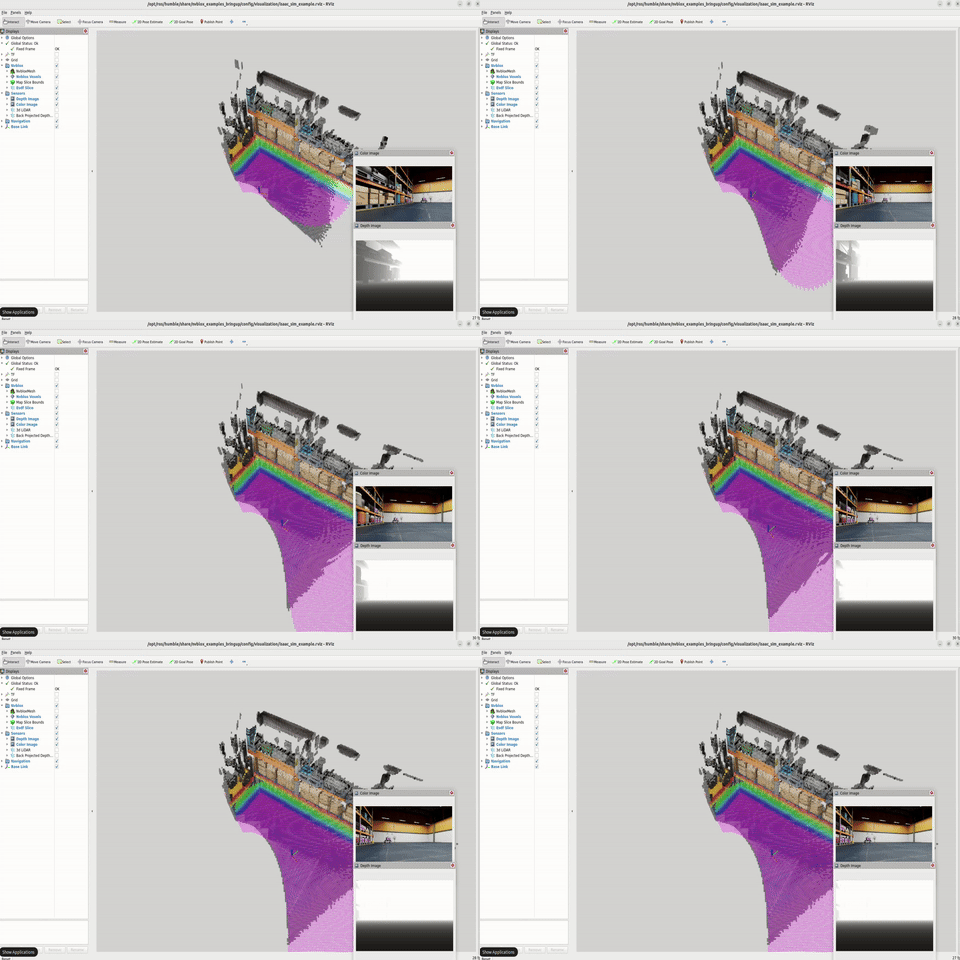
- Purpose: 3D reconstruction / real-time mapping (TSDF/ESDF). Can be used with a depth camera or dataset to reconstruct and visualize 3D scenes.
- Run:
./launch_isaac.sh basic_examples/isaac_ros_nvblox - Official docs:
5.2 isaac_ros_visual_slam
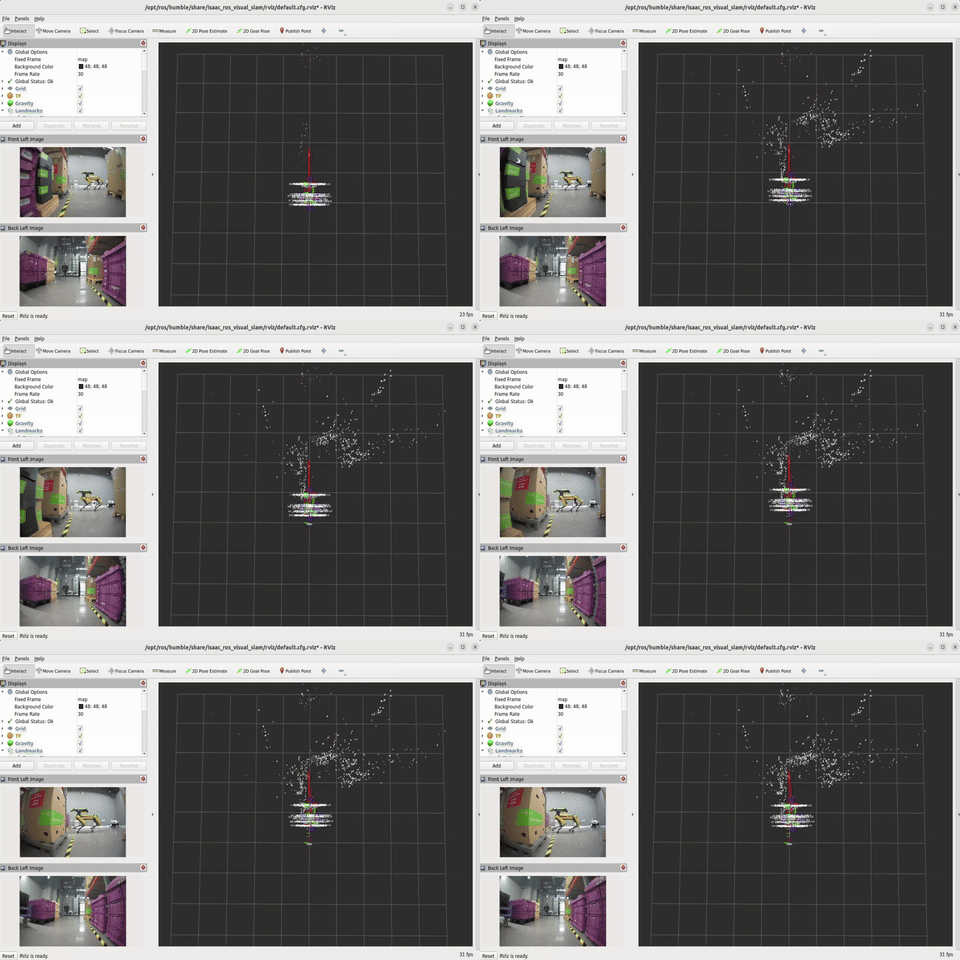
- Purpose: Visual SLAM (localization and mapping), including common camera/IMU workflows.
- Run:
./launch_isaac.sh basic_examples/isaac_ros_visual_slam - Official docs:
5.3 isaac_ros_yolov8
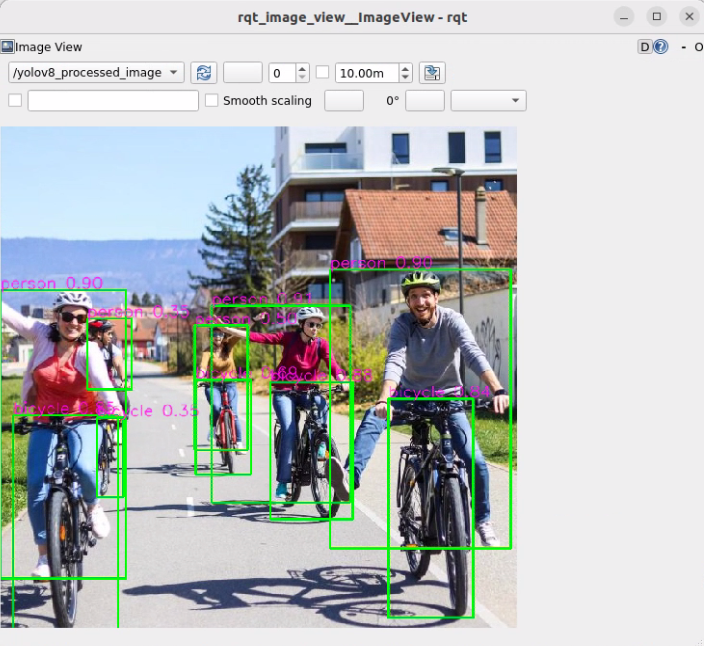
- Purpose: YOLOv8 object detection inference for real-time detection and perception integration.
- Run:
./launch_isaac.sh basic_examples/isaac_ros_yolov8 - Official docs:
5.4 isaac_ros_unet
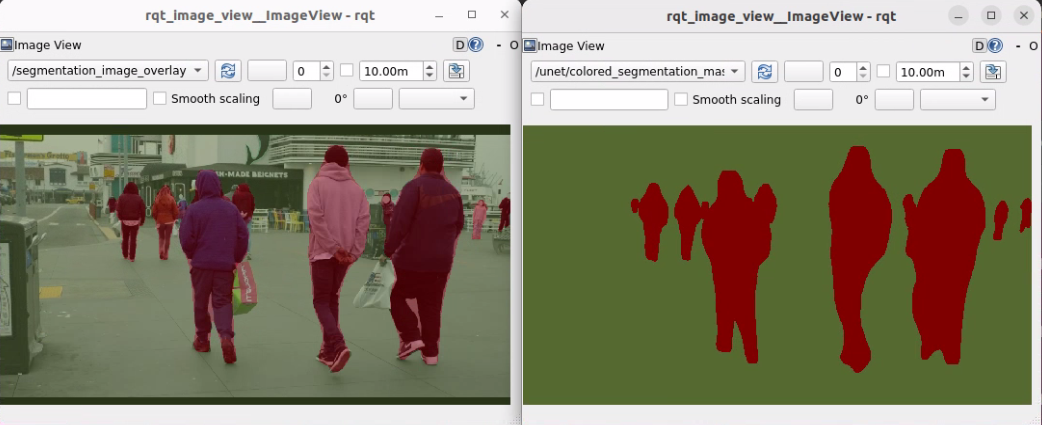
- Purpose: UNet-based semantic segmentation workflow, useful for scene understanding, traversability, and foreground/background separation.
- Run:
./launch_isaac.sh basic_examples/isaac_ros_unet - Official docs:
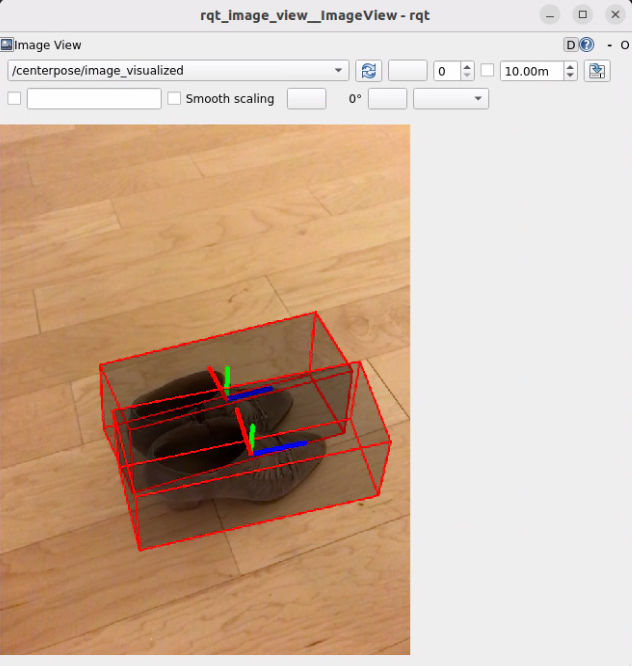
5.5 isaac_ros_centerpose
- Purpose: 6DoF pose estimation, commonly used for grasping, pose tracking, and alignment tasks.
- Run:
./launch_isaac.sh basic_examples/isaac_ros_centerpose - Official docs:
5.6 isaac_ros_occupancy_grid_localizer
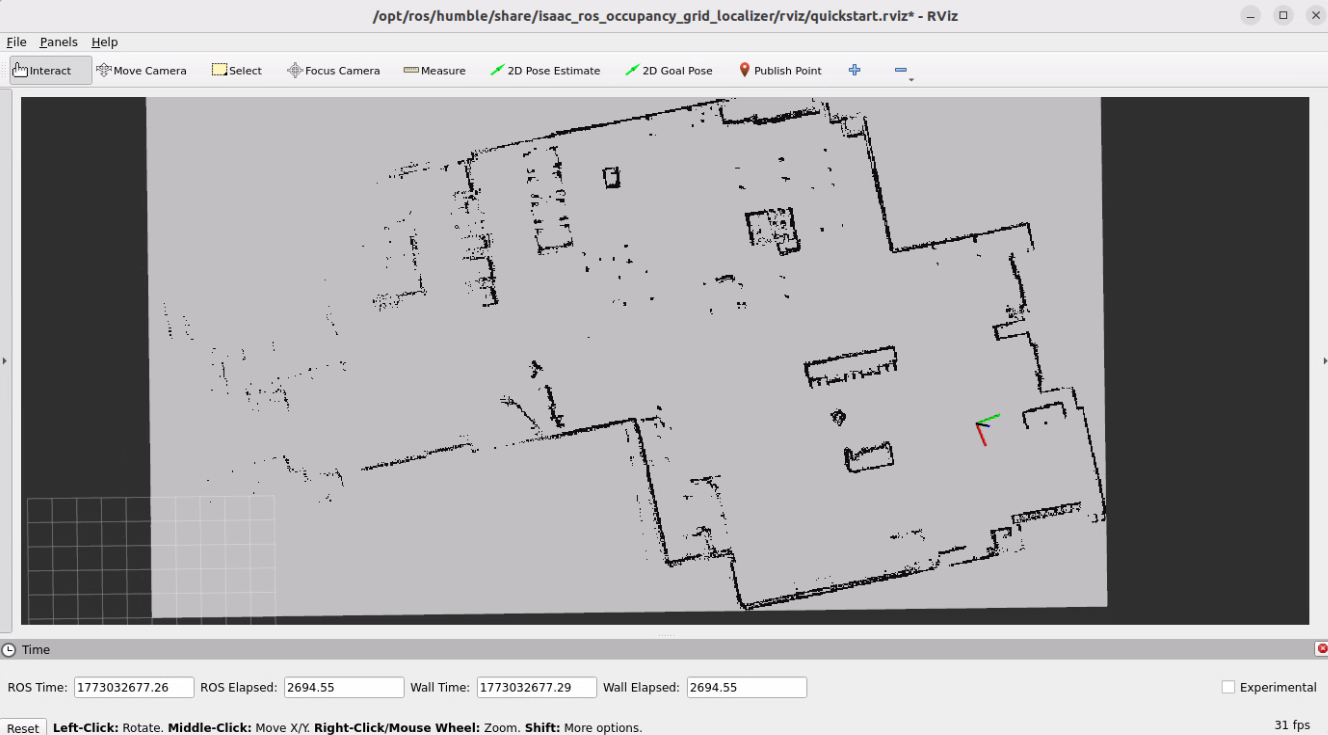
- Purpose: Localization on a 2D occupancy grid map (common in indoor navigation / AMR scenarios) to estimate the robot pose on a known map.
- Run:
./launch_isaac.sh basic_examples/isaac_ros_occupancy_grid_localizer - Official docs:
6. Build Your Own App
Inside each app directory you will find files like:
install_app.sh: for installation/preparation steps (e.g., download assets, install dependencies, initialize the environment)run_app.sh: for launch/run commands (typicallyros2 launch ...)
You can build your own app with this pattern:
- Copy an existing example folder (or use
apps/developas a template) - Put required setup steps into
install_app.sh - Put your ROS 2 launch/run commands into
run_app.sh - Launch using the same entry point:
./launch_isaac.sh <your_app_path>