Real-Time Expert
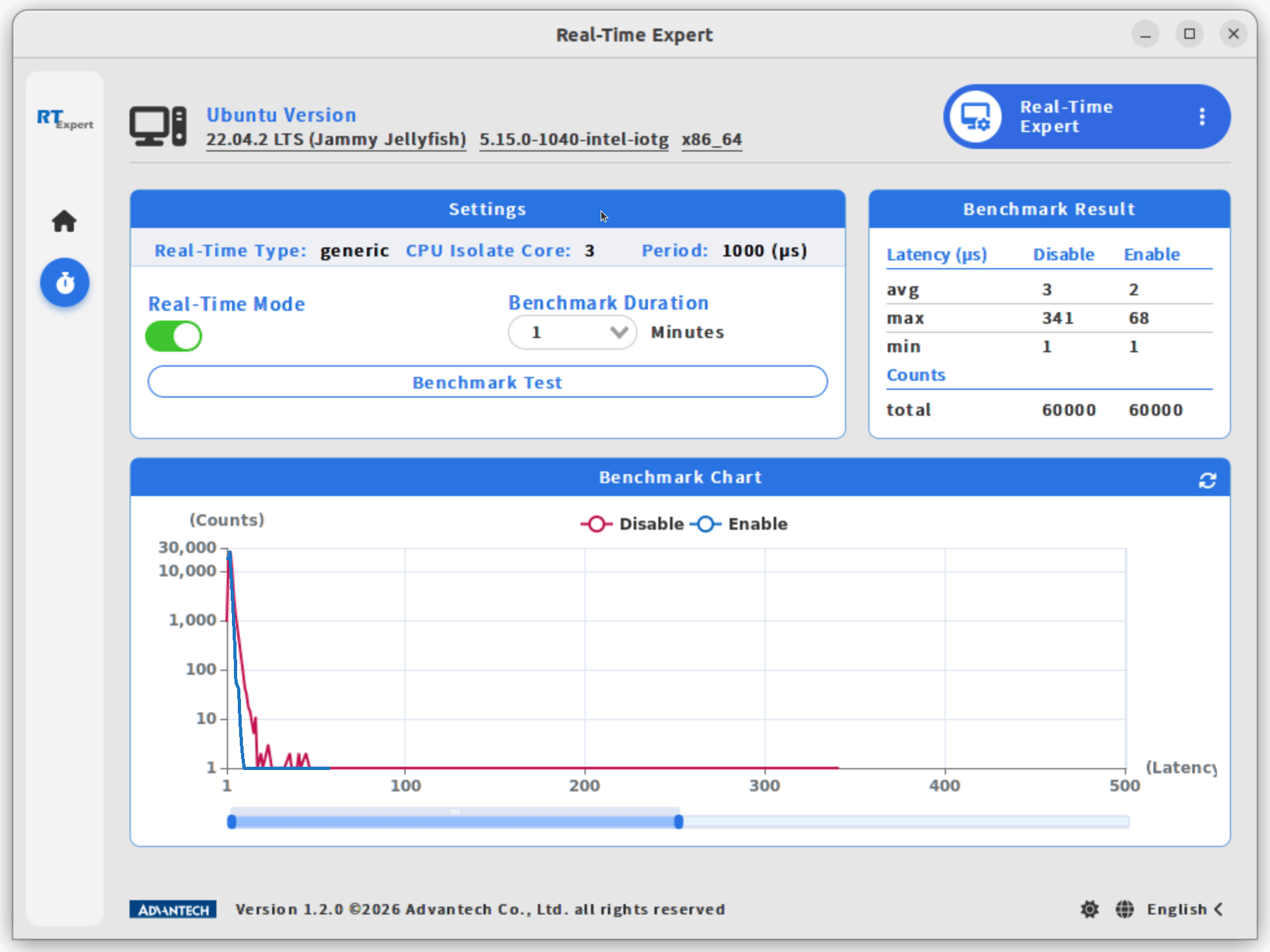
Real-Time Expert 提供直覺的圖形使用者介面,讓使用者切換至即時模式(Real-Time Mode),並執行效能基準測試,比較一般模式與即時模式的效能差異。
本文件說明如何在採用 Ubuntu 作業系統的研華裝置上,逐步操作 Real-Time Expert。
使用前提
- 一台執行 Ubuntu 作業系統的研華裝置,例如 AFE-R360。
- 已啟用 PREEMPT_RT 的 Linux 核心。
- 裝置上已安裝 Real-Time Expert。
BIOS 設定
調整以下 BIOS 設定,以改善即時效能。表格保留 BIOS 中的英文選項與設定值,方便對照操作。
AFE-R360
| 項目 | 設定值 |
|---|---|
| Hyper Threading | Disable |
| Intel(R) Speed Shift | Enable |
| Intel(R) SpeedStep | Enable |
| C-State | Disable |
| Active LP Efficient-cores | 0 |
| RC6 (Render Standby) | Disable : Power -> GT |
操作步驟
步驟 1:啟動 Real-Time Expert
執行以下指令,啟動 Real-Time Expert 圖形介面:
cd /opt/Advantech/Real-Time_Expert
./run_app.sh
完成安裝並啟動程式後,會顯示以下畫面。
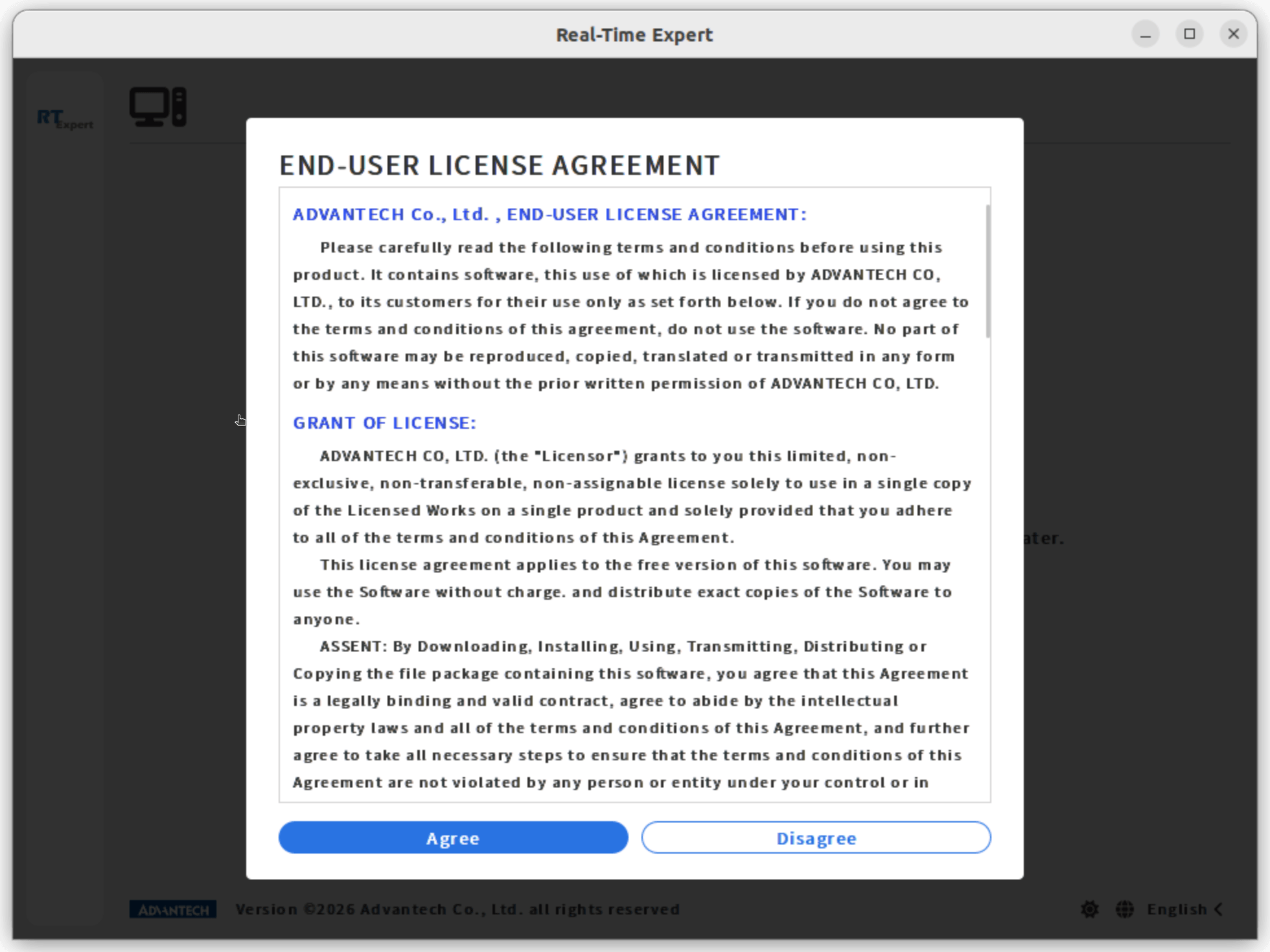
步驟 2:同意授權條款
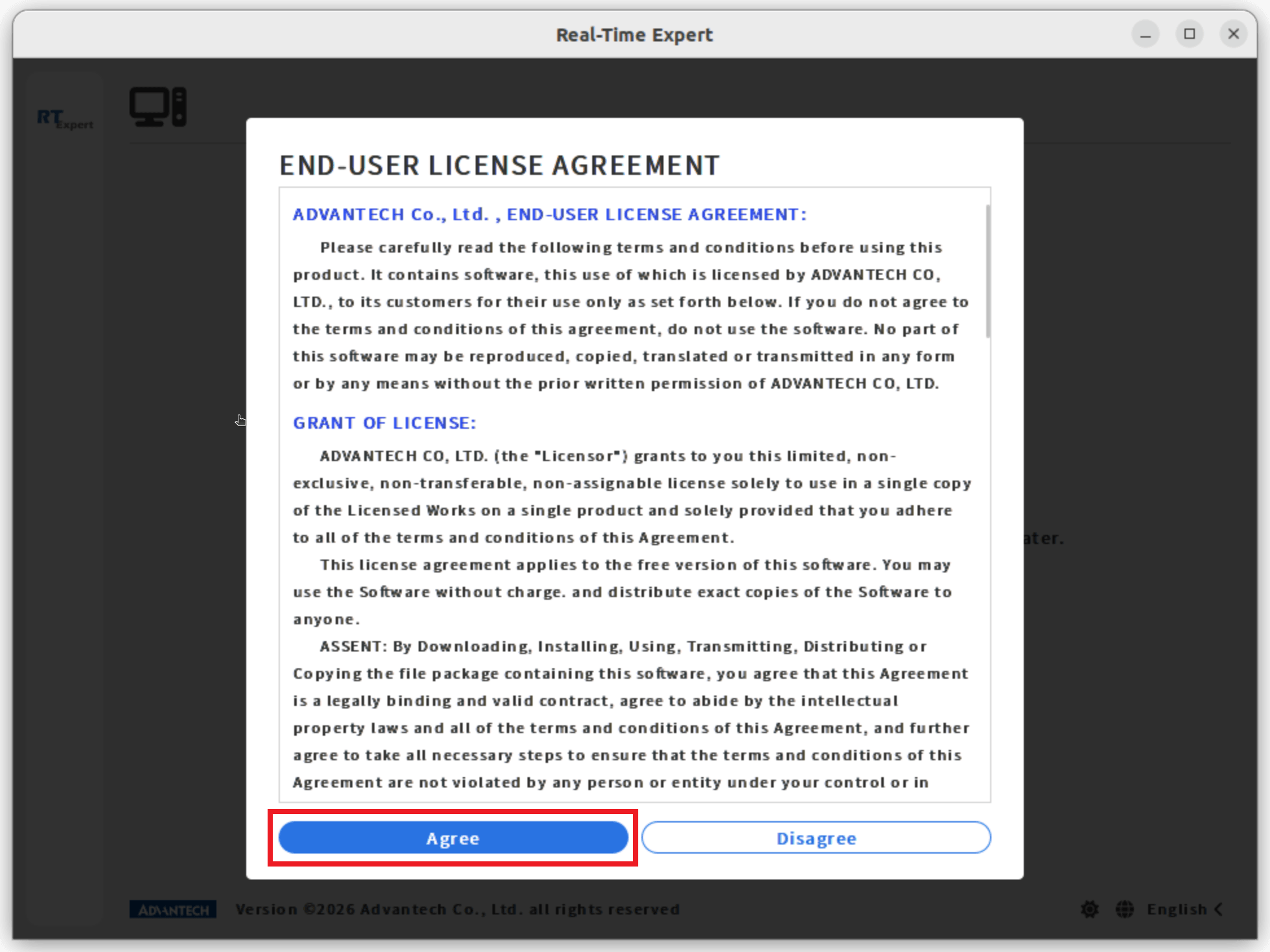
點選 Agree(同意)以繼續。
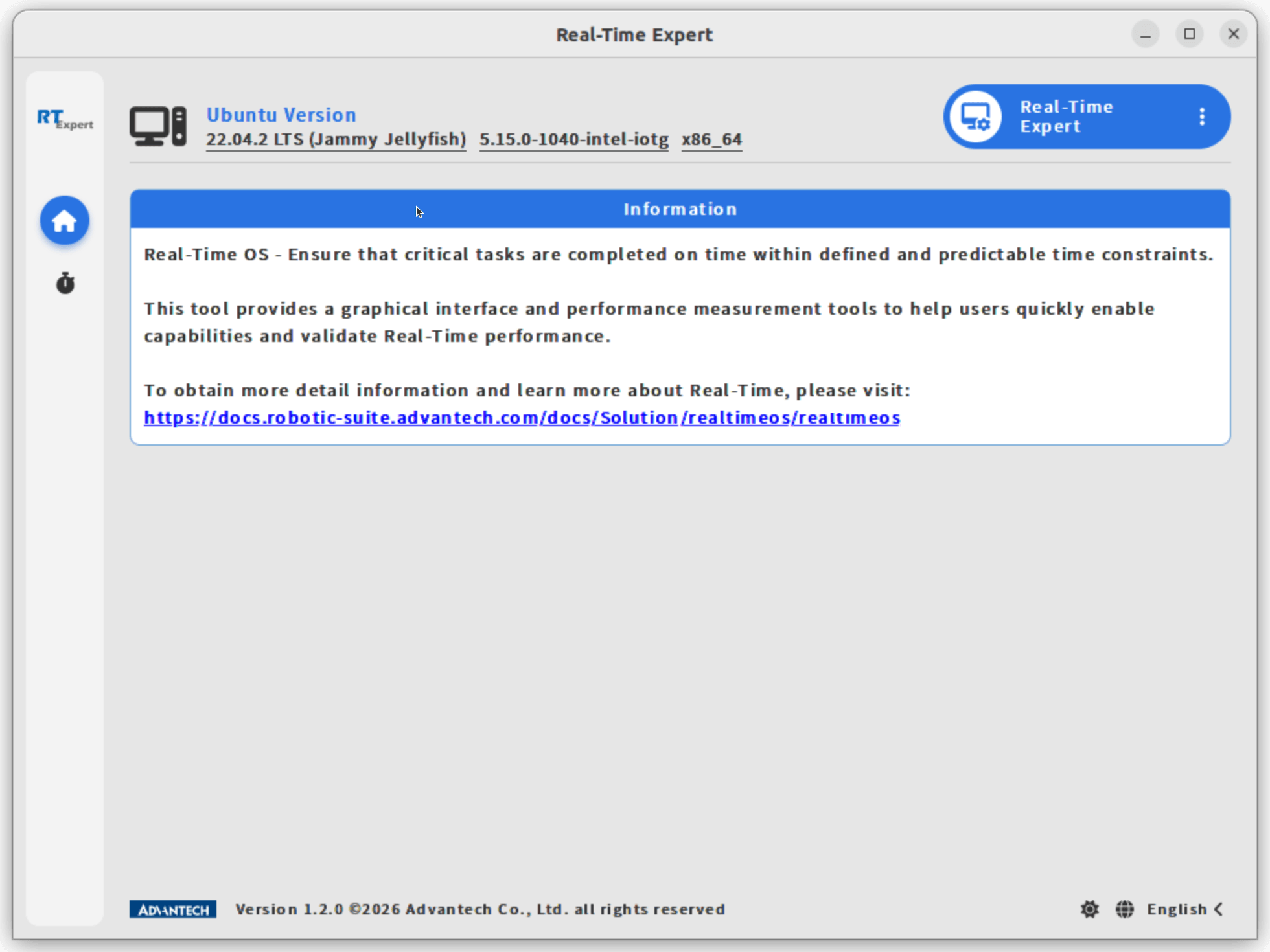
進入主畫面後,可以看到工具簡介,以及提供更多即時作業系統資訊的連結。
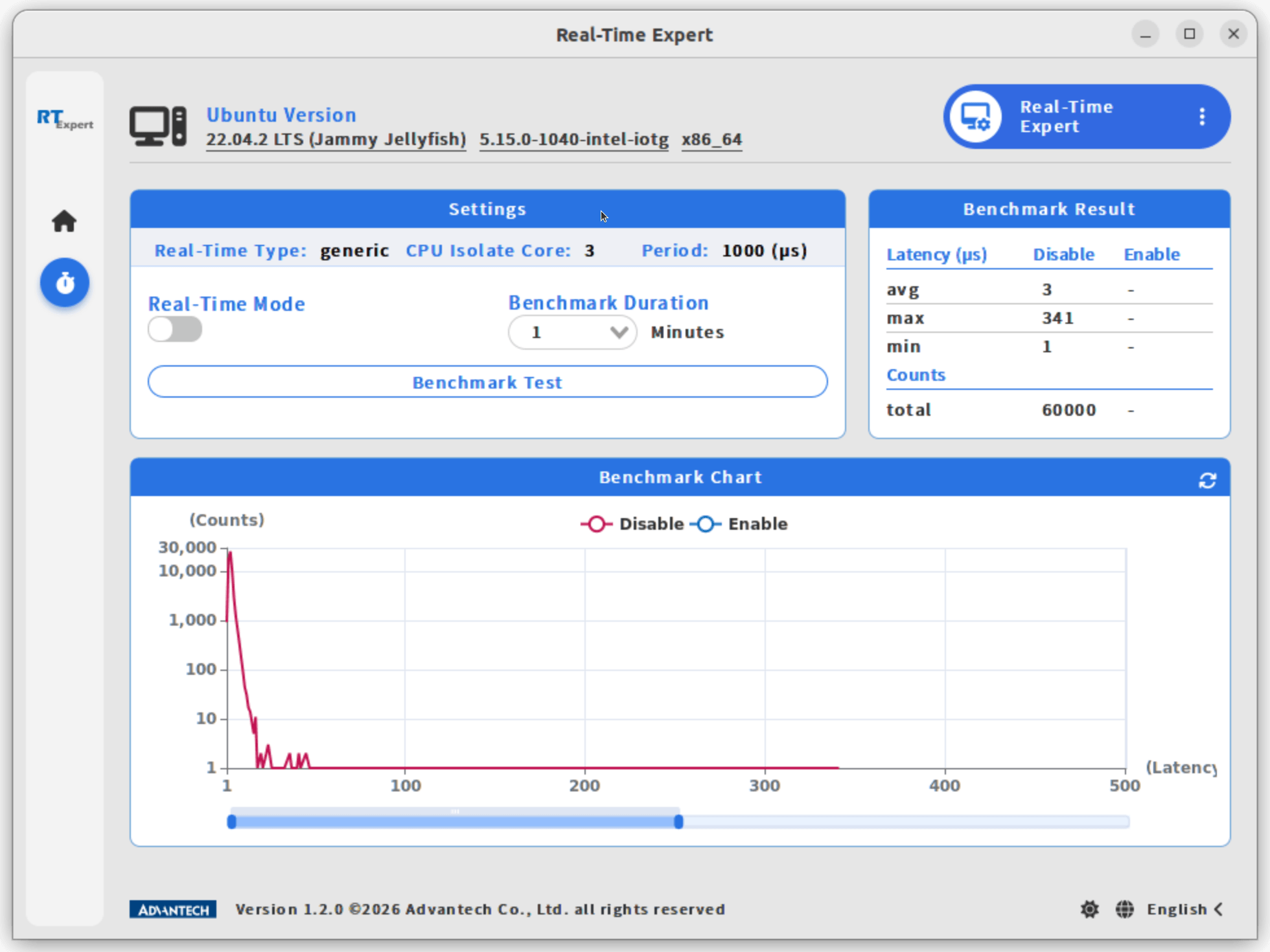
步驟 3:在非即時模式下執行效能基準測試
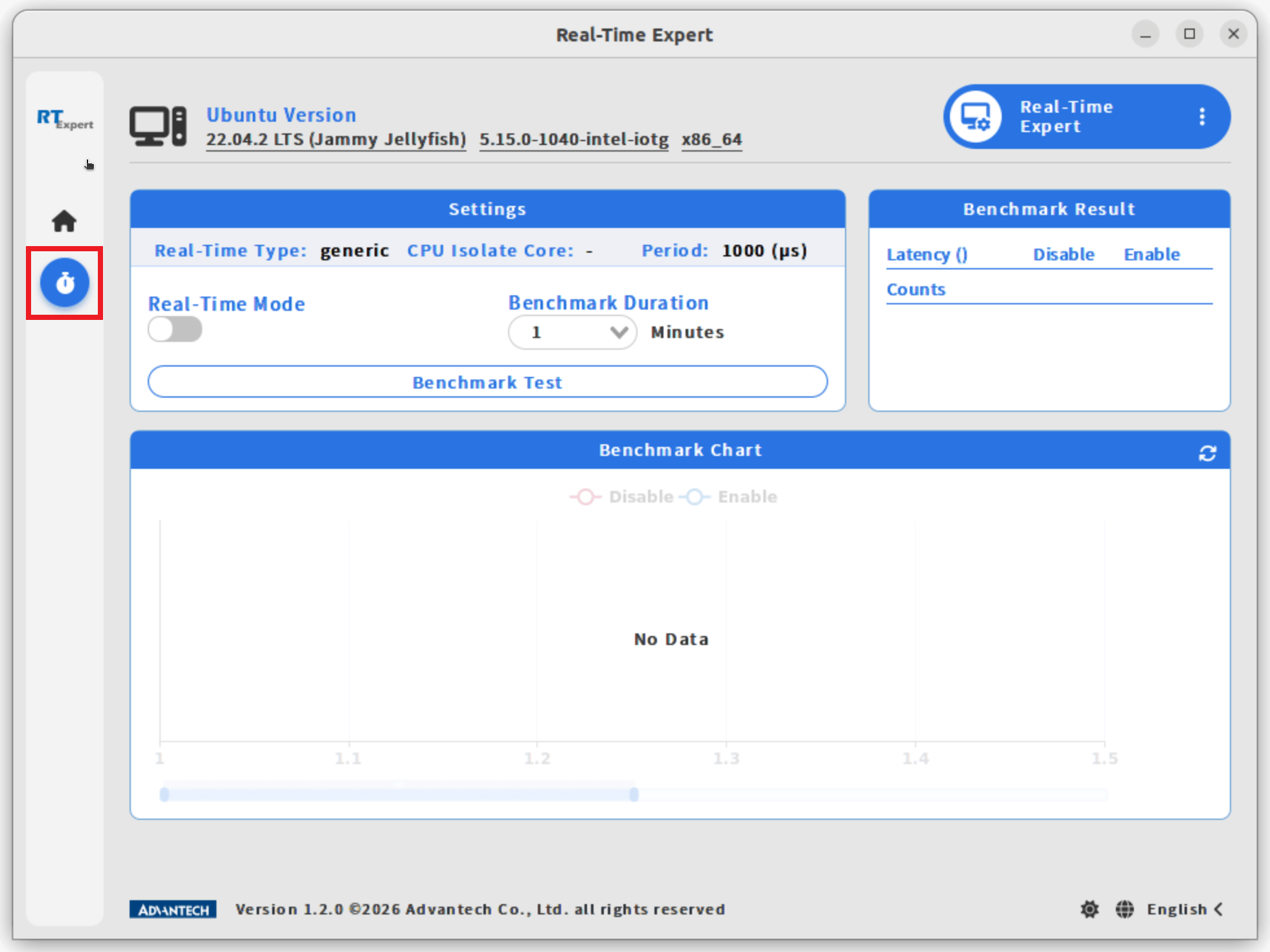
- 點選左側欄的 Real-Time 圖示,開啟功能頁面。
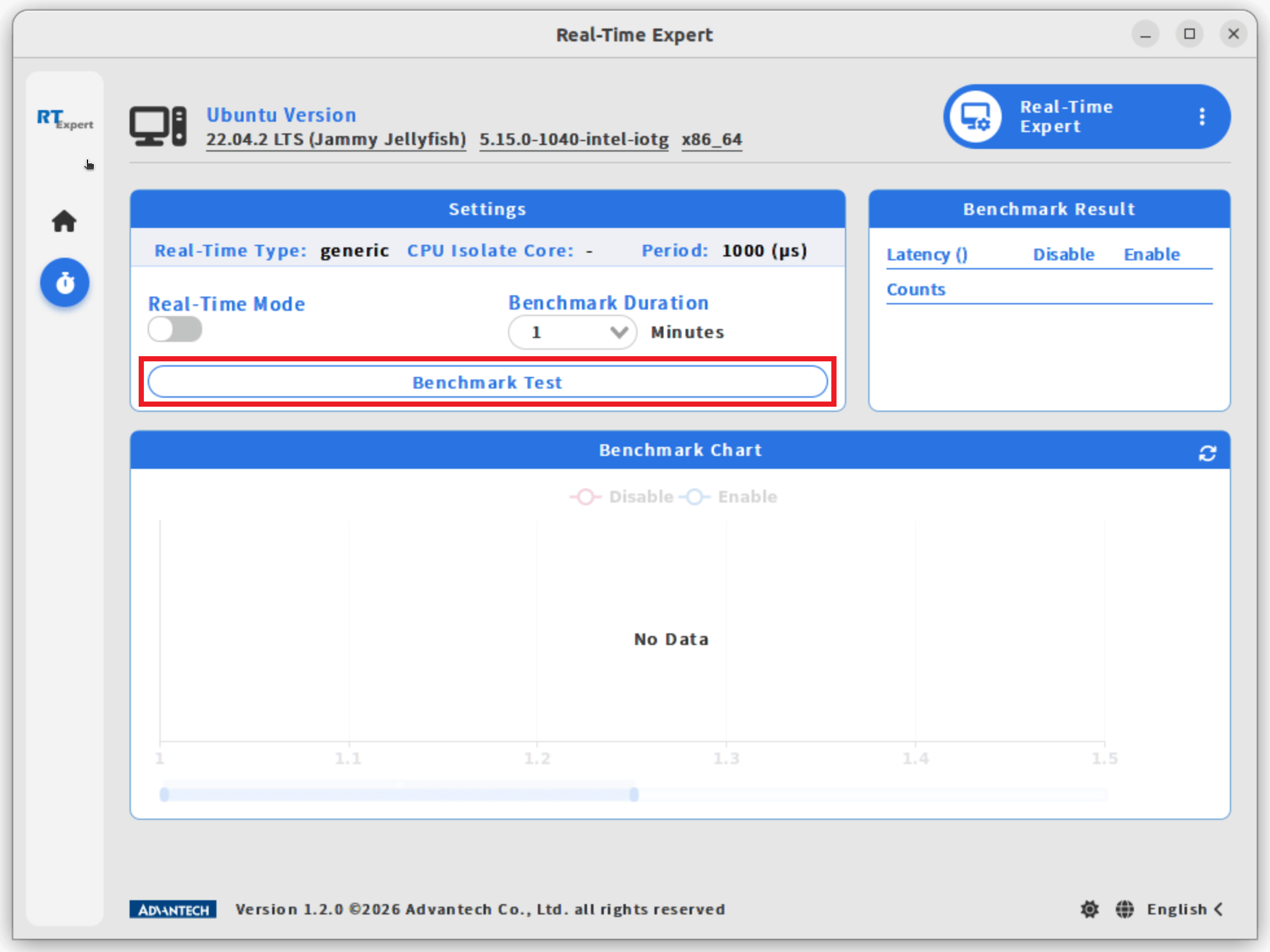
- 在 Settings(設定)區塊中,點選 Benchmark Test(效能基準測試)按鈕,執行非即時模式的測試。
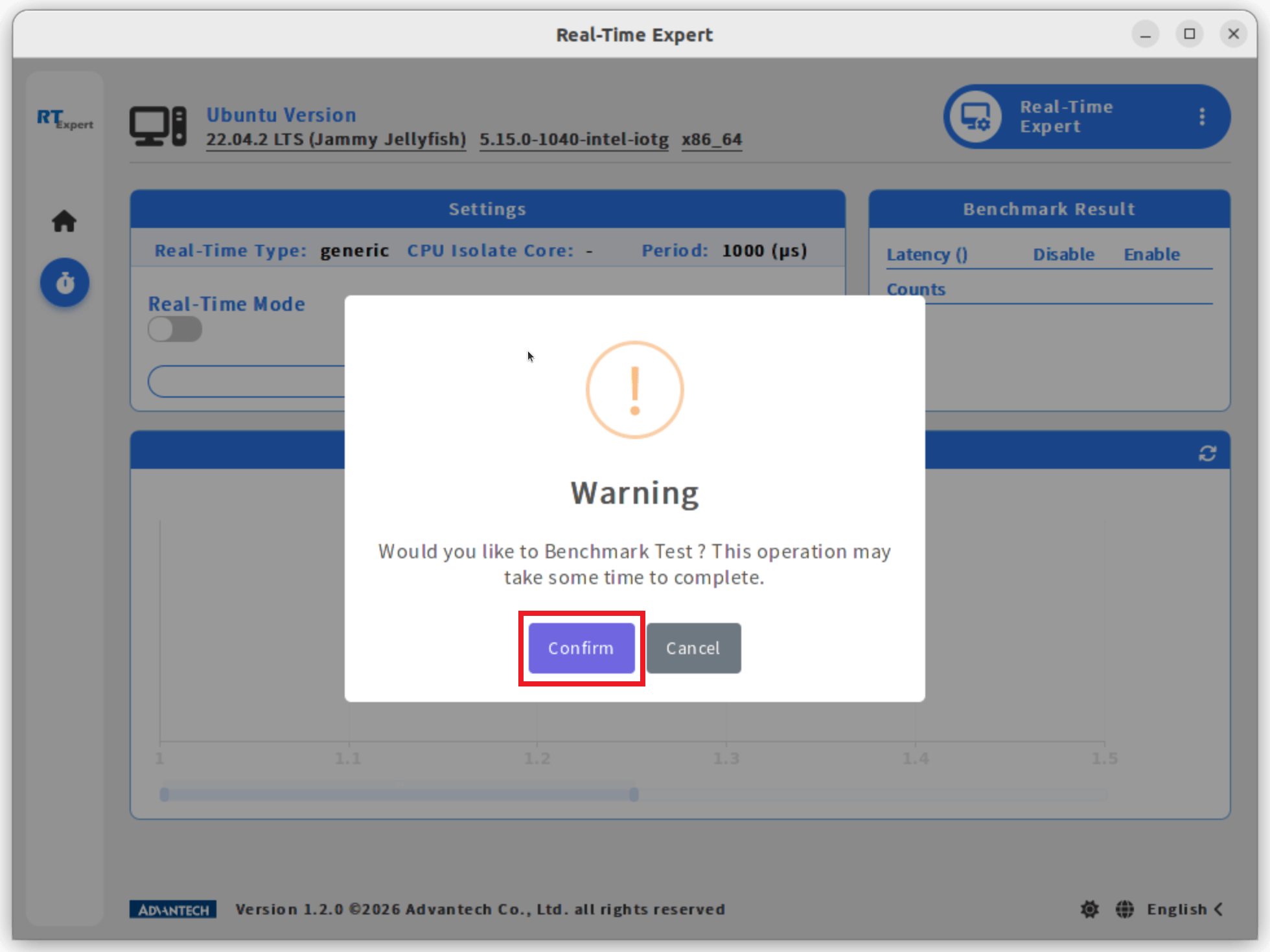
- 點選 Confirm(確認)以繼續。
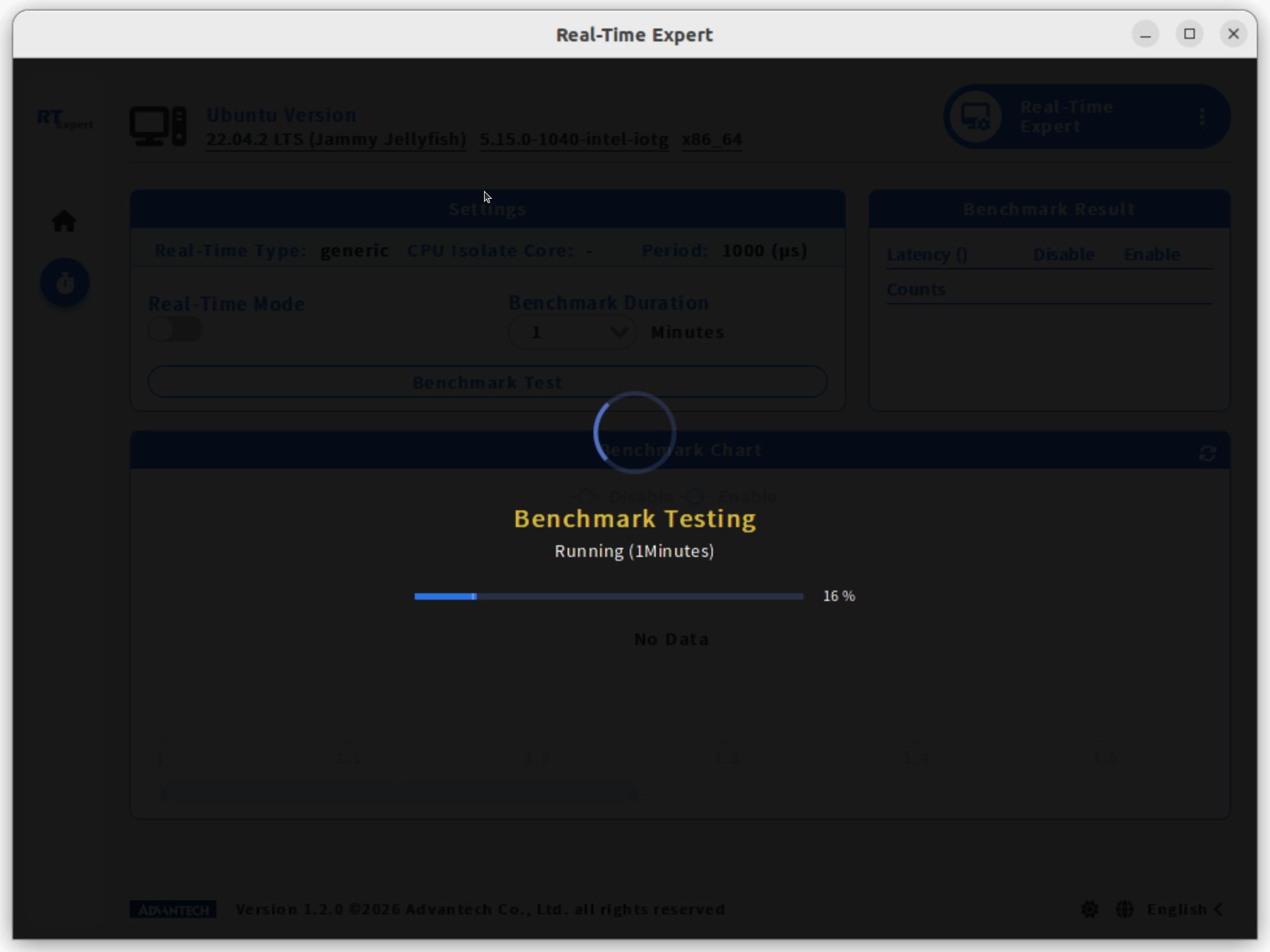
注意:效能基準測試需要一些時間,請等待測試完成。
- 測試完成後,結果會顯示在 Benchmark Chart(測試圖表)與 Benchmark Result(測試結果)區塊。
步驟 4:啟用即時模式
- 將 Real-Time Mode(即時模式)開關向右切換,以啟用即時模式。
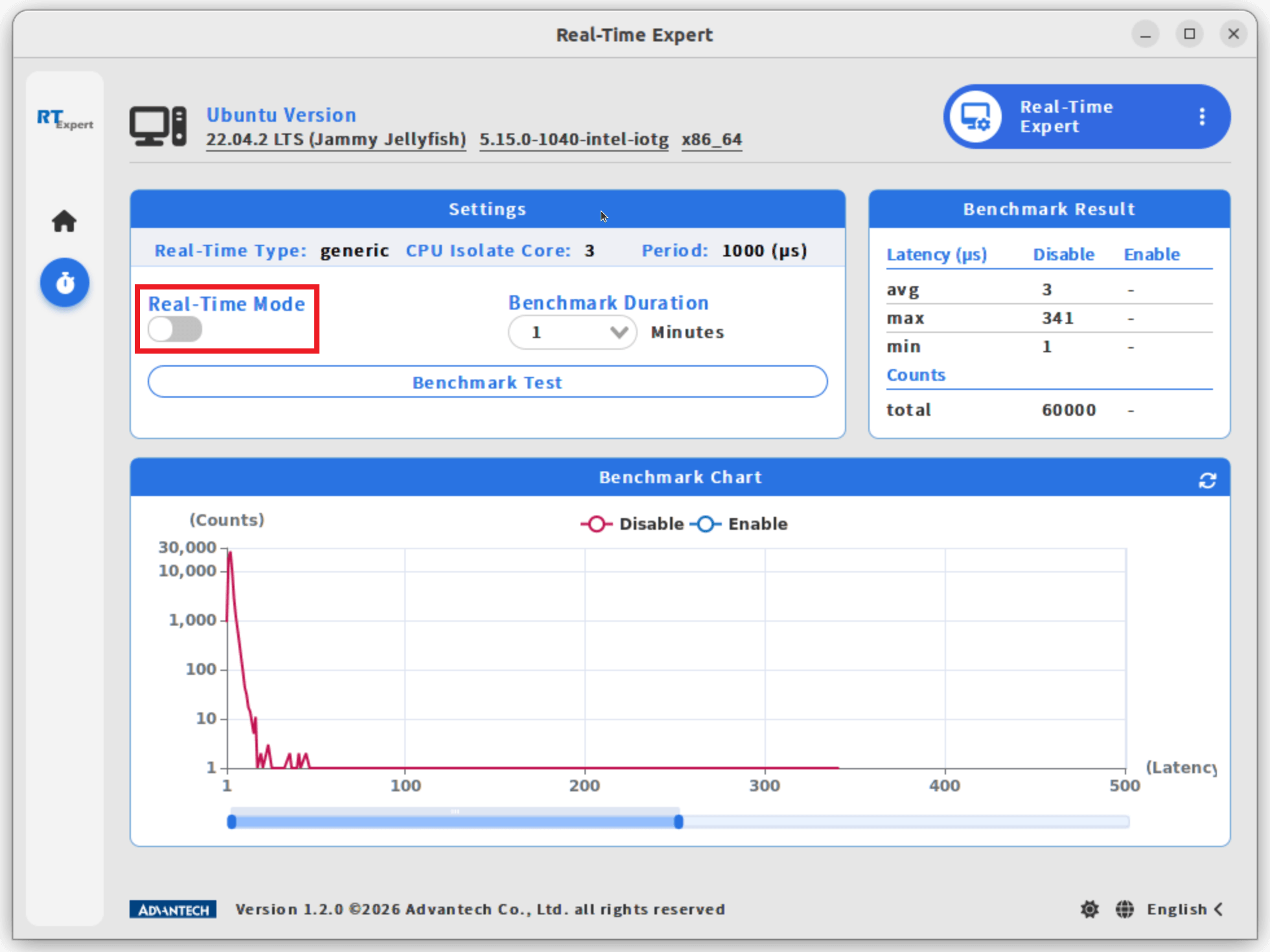
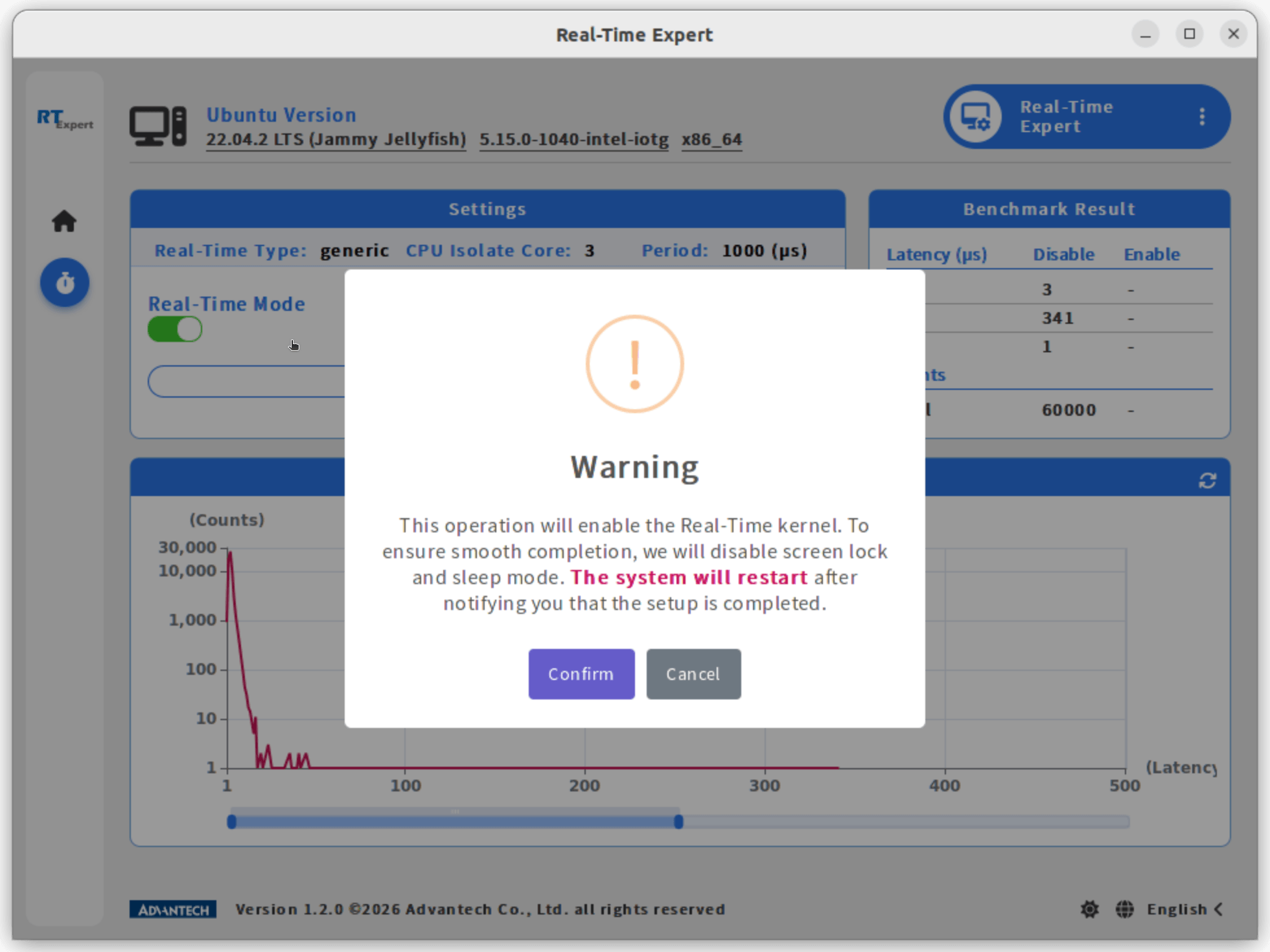
注意:如果系統尚未執行過效能基準測試,程式會提示先在非即時模式下執行測試,以建立基準,供後續與即時模式的測試結果比較。
- 點選 Confirm(確認)以繼續。系統將重新啟動,並進入即時模式。
步驟 5:在即時模式下執行效能基準測試
- 在 Settings(設定)區塊中,點選 Benchmark Test(效能基準測試)按鈕,執行即時模式的測試。
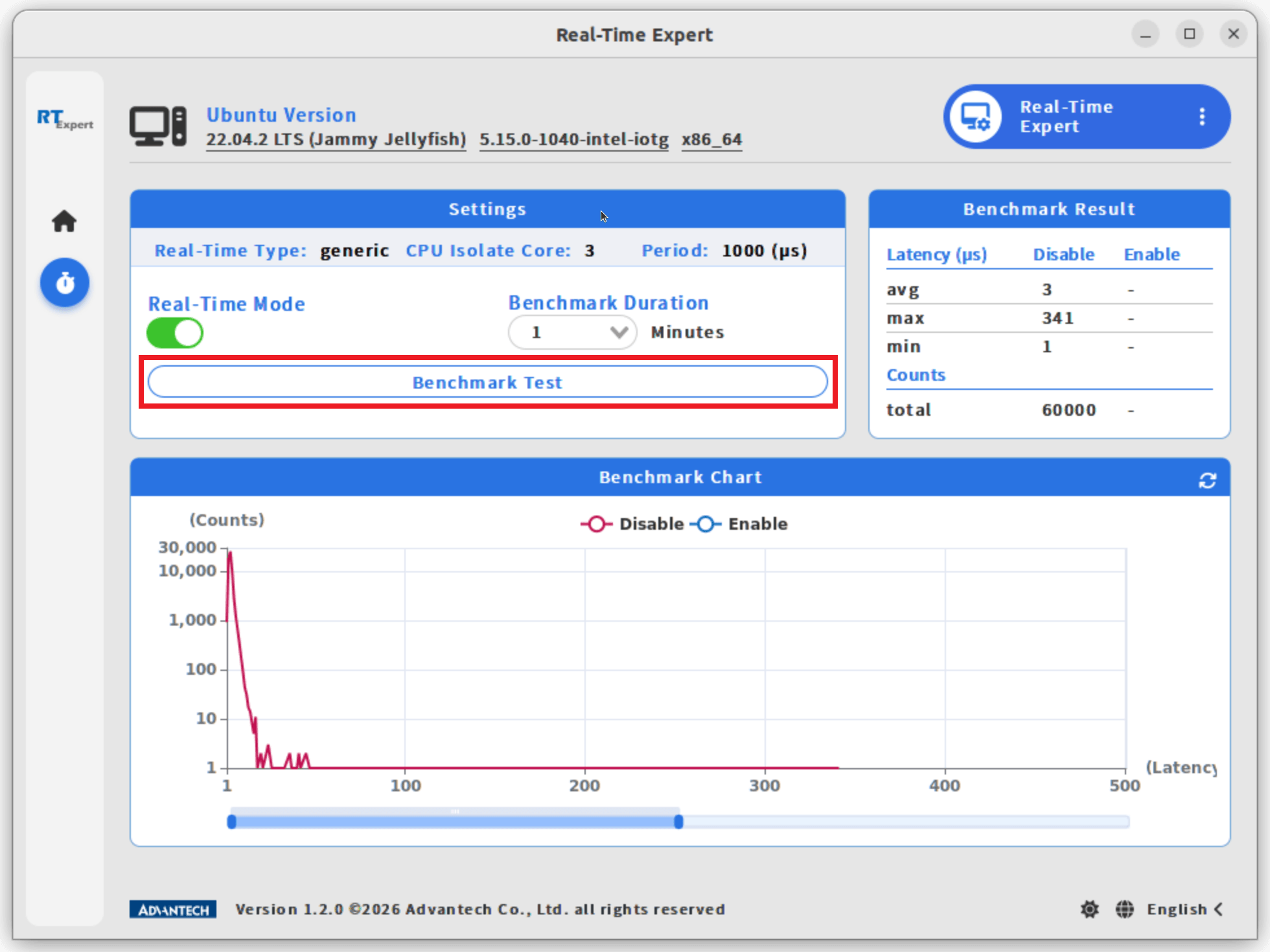
- 點選 Confirm(確認)以繼續。效能基準測試需要一些時間,請等待測試完成。
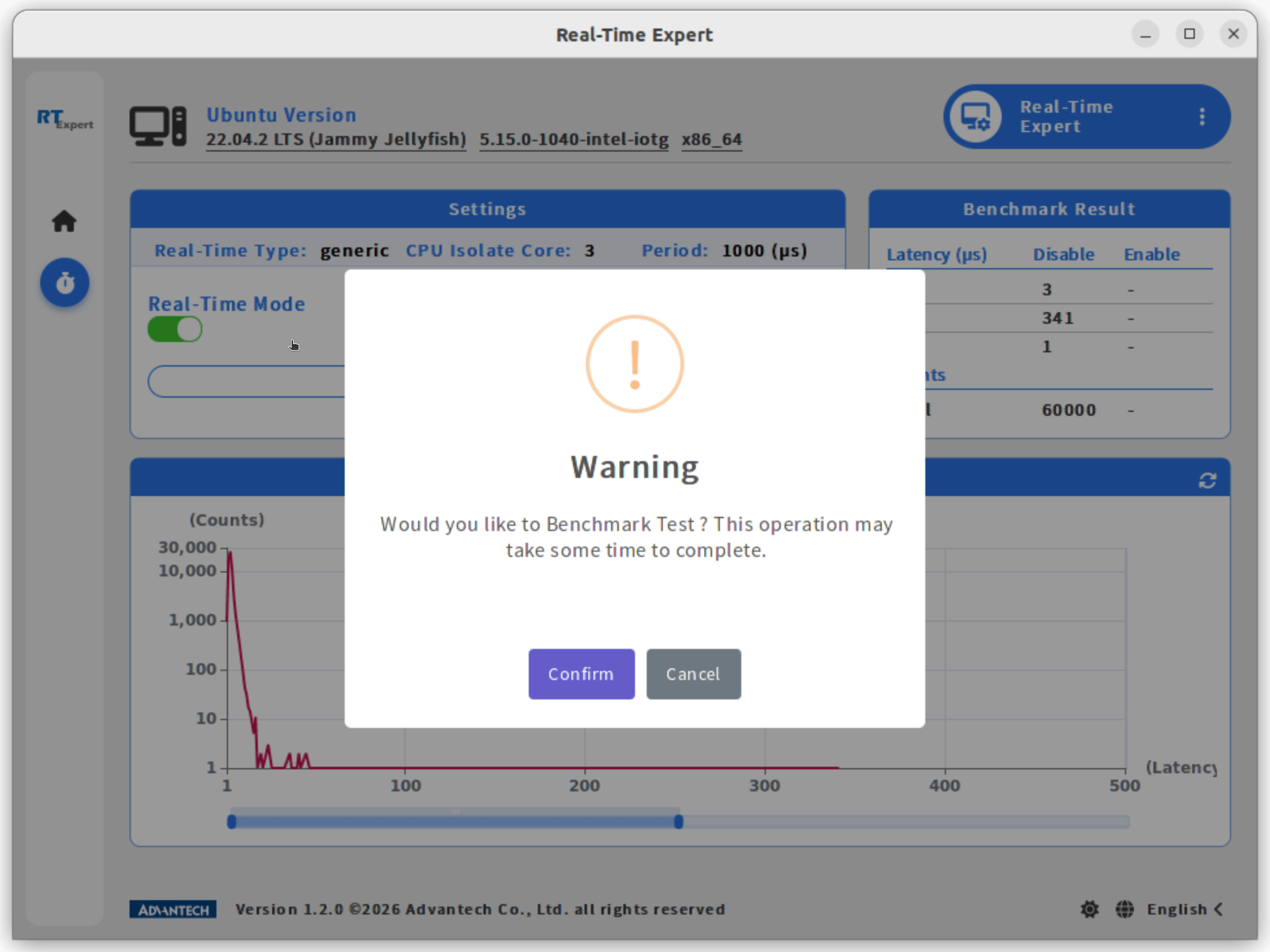
- 測試完成後,結果會顯示在 Benchmark Chart(測試圖表)與 Benchmark Result(測試結果)區塊。