ROS 2
Advantech Robotic Suite bundles ROS 2 environments and common utilities so you can compile, run, and debug robot applications as soon as you log into the device or container. This section is a practical, hands-on learning path for ROS 2 itself — it is not a replacement for the official ROS 2 documentation, which remains the authoritative reference for APIs, message definitions, and distro-specific details.
Use this page as a map. Each linked page owns one topic, includes copy-pasteable commands, and links forward to the next logical step.
Why It Matters
Everything else in this documentation site — Robotics Fundamentals, Mobility, and Manipulation — assumes you can already source a ROS 2 environment, read a topic, call a service, and reason about the ROS 2 computation graph. This section builds that foundation once so the later, application-focused sections can stay focused on robotics concepts instead of re-explaining ROS 2 basics.
Learning Map
The pages are ordered so each one builds on the previous one. You can also jump directly to a topic if you already know the basics.
1. ROS 2 Concepts        -> what nodes, topics, services, actions, parameters are
2. CLI Basics             -> environment sourcing + ros2 command discovery
3. Workspace and Package  -> colcon workspace, package creation, build, source
4. Publisher/Subscriber   -> your first working Python nodes
5. Services and Actions   -> request/response and long-running goals
6. Parameters and Launch  -> configuring nodes without editing code
7. TF2                    -> coordinate frames and transforms
8. Rosbag                 -> recording and replaying data
9. Troubleshooting        -> systematic diagnosis when things don't work
Core Concepts
| Page | You will learn |
|---|---|
| ROS 2 Concepts | Nodes, topics, services, actions, parameters, interfaces, and the computation graph — and when to reach for each one |
| CLI Basics | Sourcing the environment correctly and using ros2 sub-commands to discover and inspect a running system |
| Workspace and Package | Laying out a colcon workspace, creating a package, building, and sourcing the result |
| Publisher/Subscriber | A complete, minimal Python publisher and subscriber you build, run, and troubleshoot yourself |
| Services and Actions | The conceptual difference between topics, services, and actions, plus hands-on CLI calls against installed demo interfaces |
| Parameters and Launch | Externalizing configuration with parameters, YAML files, and launch files, applied to the pub/sub package |
| TF2 | Coordinate frames, static vs. dynamic transforms, and the tools used to inspect them |
| Rosbag | Recording, inspecting, and replaying ROS 2 data safely, including simulated time and TF |
| Troubleshooting | A systematic checklist for the most common "it should work but doesn't" situations |
Hands-on Steps
If you are new to ROS 2, work through the pages in order:
- Read ROS 2 Concepts to get the vocabulary right before typing any commands.
- Follow CLI Basics and confirm your environment is sourced correctly.
- Follow Workspace and Package to create the workspace used by the rest of the path.
- Build and run the example in Publisher/Subscriber.
- Continue with Services and Actions and Parameters and Launch using the same workspace and package.
- Read TF2 and Rosbag before starting Robotics Fundamentals, since Mobility and Manipulation both rely heavily on transforms and recorded data.
- Keep Troubleshooting bookmarked — you will come back to it.
Additional Tools
These tools are useful for inspecting, visualizing, and debugging ROS 2 systems:
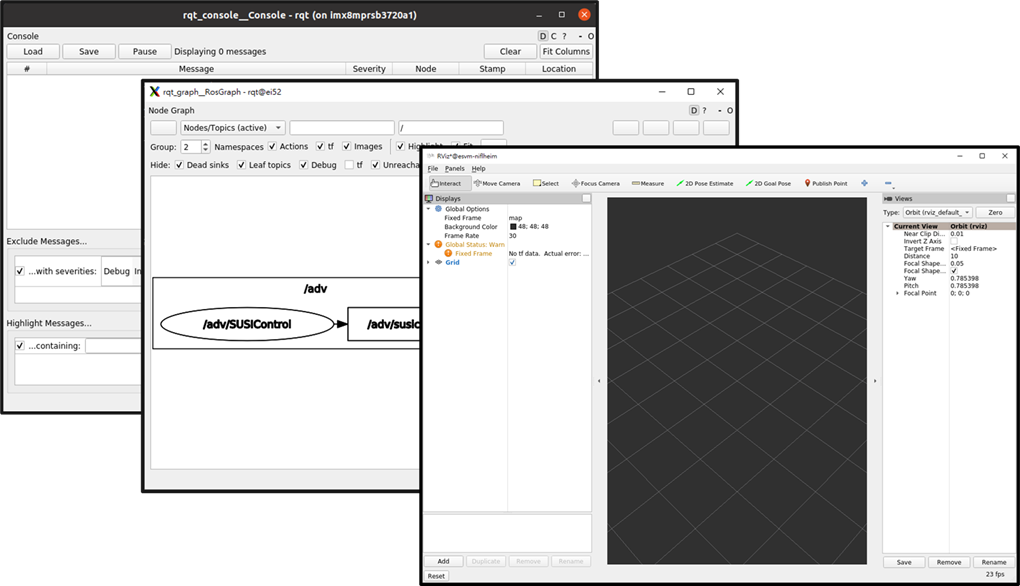
- RViz2 — visualize robot models, sensor data, and TF in 3D
- rqt_graph — inspect nodes and topic connections graphically
- rqt_console — view and filter ROS 2 log messages
Robot Modeling and Simulation
Once you are comfortable with the ROS 2 basics above, continue with:
- URDF Robot Model — describe robot links, joints, geometry, and kinematic structure
- Gazebo — simulate robot models and ROS 2 interfaces
Expected Result
After completing the path, you should be able to:
- Explain the difference between a node, topic, service, action, and parameter, and choose the right one for a new task.
- Source a ROS 2 environment and use
ros2CLI tools to inspect a running system without reading source code first. - Create, build, and run your own ROS 2 package.
- Write a minimal Python publisher and subscriber from scratch.
- Call a service and send an action goal from the command line.
- Configure a node with parameters and a launch file instead of hardcoded values.
- Read a TF tree and know whether a transform is static or dynamic.
- Record and safely replay a rosbag, including simulated time.
- Work through the troubleshooting checklist instead of guessing when something breaks.
Useful Commands
# Confirm your ROS 2 distro and that the environment is sourced
printenv ROS_DISTRO

# List everything currently running in the ROS 2 graph
ros2 node list
ros2 topic list
ros2 service list
ros2 action list
Common Problems
New to ROS 2 and not sure where a symptom belongs? Jump straight to Troubleshooting, which indexes common issues (missing topics, type mismatches, QoS, Domain ID conflicts, DDS discovery, containers, timestamps, TF, permissions) with the commands used to diagnose each one.
Key Takeaways
- This section teaches practical ROS 2 skills that the rest of the site assumes you already have.
- It is a companion to, not a substitute for, the official ROS 2 documentation.
- The pages are ordered as a learning path but each one also stands alone as a reference.
ros2_controland MoveIt-based manipulation are covered where relevant, but they build on — and are not part of — these core ROS 2 basics.
Next
Continue with ROS 2 Concepts, or if you already know the vocabulary, skip ahead to CLI Basics.