:::note Real to Real Start by reviewing the physical demonstrations recorded in this tutorial. Merging simulation data is optional; links to simulation recording open the Sim to Real tutorial. :::
Dataset Management
Dataset management constitutes the final quality gate of the recording process, and also the preparatory stage preceding training.
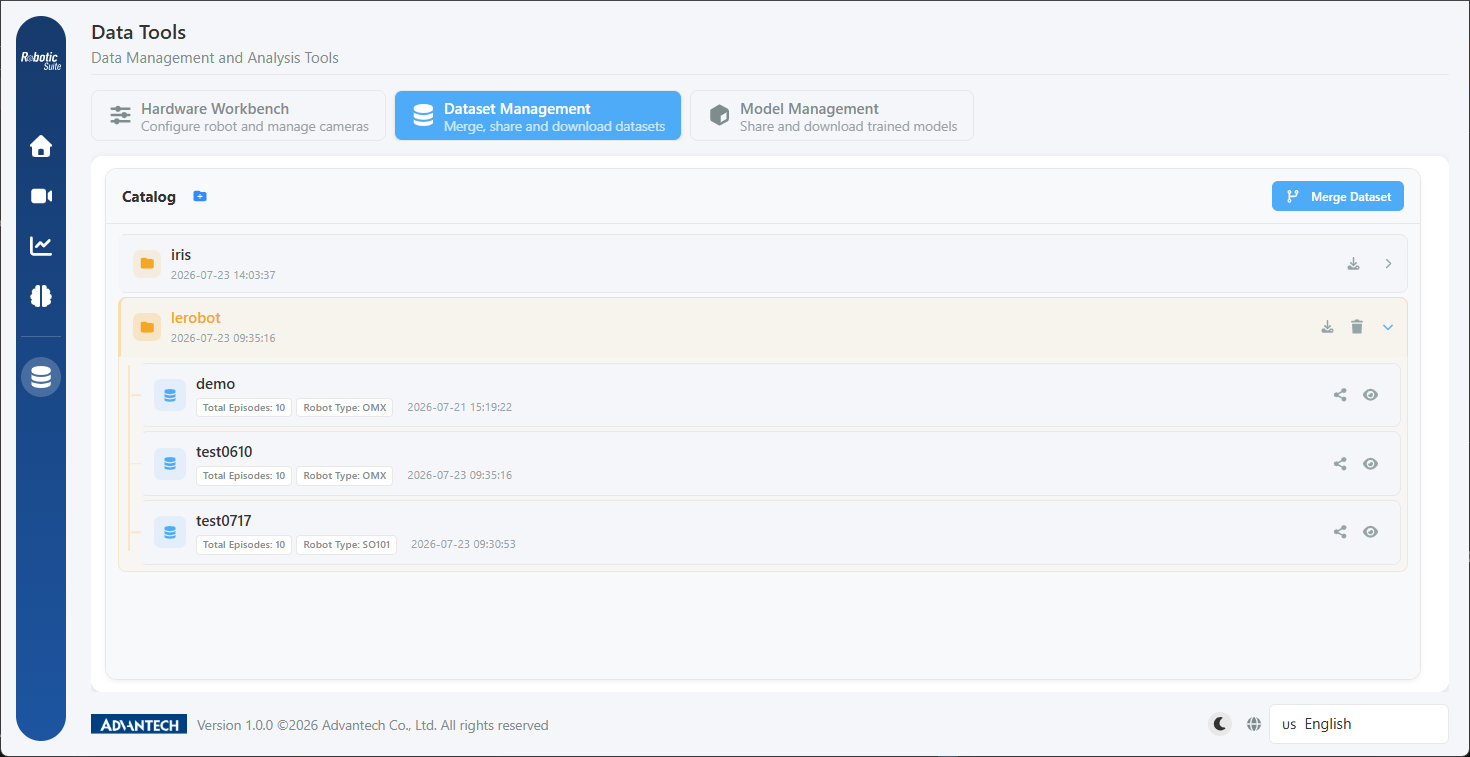
Functions
| Function | Applicable circumstance |
|---|---|
| Preview | Playing back each episode to confirm data quality |
| Delete episodes | Removing individual episodes of insufficient quality without re-recording the batch |
| Merge | Combining datasets recorded across sessions, or physical and simulation data, into a single dataset |
| Share | Generating a short code to transfer a dataset to another host |
| Delete directory | Removing batches of data that are no longer required |
Preview and episode deletion
Once a dataset is selected, all episodes are listed on the left and the video preview is presented on the right. The total episode count, robot type, and frame rate of the dataset are displayed above the list.
It is recommended that each episode be reviewed following the completion of a recording batch, with attention to the following: whether hesitation or repeated correction occurred during the motion, whether any episodes record a failure in which the workpiece was knocked over, and whether the camera was at any point occluded.
Once the deficient episodes have been identified, select them and choose "Delete selected". The system requests confirmation and indicates that the operation cannot be reversed.
Deletion cannot be reversed. A preview should be performed before execution, particularly when deleting an entire directory.
Merging datasets
Two typical applications:
First, consolidating data recorded across sessions. Where recording is performed across multiple sessions, the datasets may be merged into a single dataset prior to training.
Second, combining physical and simulation data. Data volume is established using simulation SDG, with several physical demonstrations merged in to supply realism.
The procedure is to add the paths of the datasets to be merged (at least two) in the merge screen, specify the output path and folder name, and execute the merge.
Following the merge, the merged dataset should be selected for training rather than any of the original datasets.
Cleanup of empty directories
Where a directory contains no datasets, the screen indicates that the directory may be deleted and provides a "Delete this directory" button. Where files remain within the directory, the system displays the number of remaining files in order to prevent inadvertent deletion.
Sharing to another host
Each row of the dataset list provides a "Share" operation. On execution, the platform compresses the dataset and generates a short code; for the detailed procedure see Cross-Host Transfer.
Next: Model training.