System
EPC-R3720 ( NXP i.MX 8M Plus )
How to use RViz on EPC-R3720
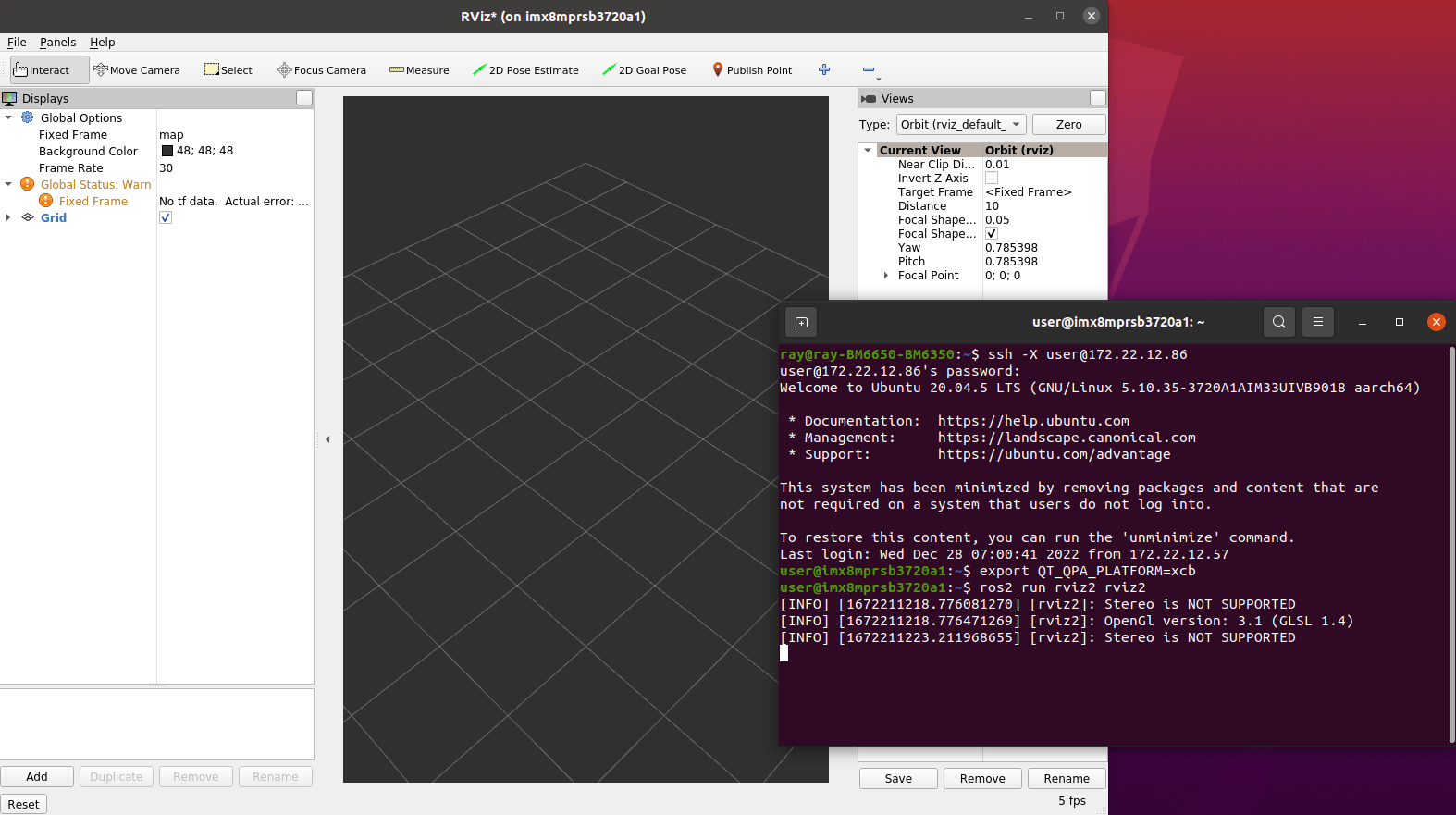
RViz supports X11 display but EPC-R3720 (NXP i.MX 8M plus ) only supports Wayland display. So RViz can’t display on the EPC-R3720. You can display RViz on another platform with X Window Server by X11 fordwarding.
Before running rviz2, please make sure libcurl is linked correctly.
/usr/lib/libcurl.so.4 should link to the libcurl.so.4.X.X in /usr/lib/aarch64-linux-gnu folder.
example:
$ ls -la /usr/lib/libcurl.so.4
output:
lrwxrwxrwx 1 root root 43 Dec 27 08:41 /usr/lib/libcurl.so.4 -> /usr/lib/aarch64-linux-gnu/libcurl.so.4.6.0
If /usr/lib/libcurl.so.4 is not linked to the libcurl.so.4.X.X in /usr/lib/aarch64-linux-gnu folder, please run below command to fix it.
sudo rm -f /usr/lib/libcurl.so.4
sudo ln -s $(readlink -f /usr/lib/aarch64-linux-gnu/libcurl.so) /usr/lib/libcurl.so.4
Prepare a x86_64 Ubuntu 20.04. Use ssh -X to enable graphical applications on a remote server. Notice : it is -X not -x
$ ssh -X remote-user@remote-host
$ export QT_QPA_PLATFORM=xcb
Run RViz2
$ ros2 run rviz2 rviz2