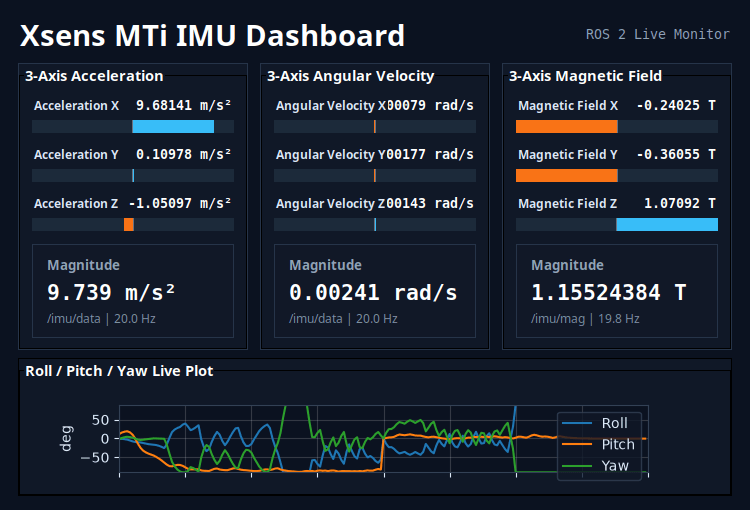
Xsens MTi IMU Dashboard on ASR-D501
This guide demonstrates how to configure and monitor the Xsens MTi IMU on the ASR-D501.
Overview
- Real-time Attitude Estimation: Provides robust 9-axis sensor monitoring to ensure flight control stability in autonomous drone navigation.
- Seamless ROS 2 Integration: Uses the official Xsens ROS 2 driver to publish IMU data as ROS 2 topics.
- Dashboard Visualization: Uses a custom Python-based dashboard to easily monitor live sensor data and system status.
System Requirements and Components
| Component | Specification |
|---|---|
| Platform | ASR-D501 (Qualcomm QCS6490) |
| OS Image | ASRD501A1-Ubuntu24.04-x07_v1.0.0 |
| IMU | Xsens MTi-630 |
Workflow
- Step 1: Connect and identify the IMU device
- Step 2: Environment setup (Install Xsens MTi ROS Driver)
- Step 3: Download the Python file and run to see the dashboard
Step 1: Connect and identify the IMU device
Connect the Xsens MTi-630 IMU to a USB port on the ASR-D501.
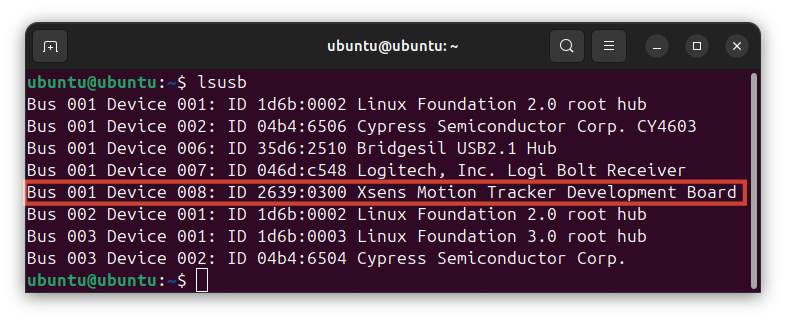
You can verify that the system detects the device hardware by running the following command:
lsusb
Look for the Xsens device in the output list to confirm a successful physical connection.
Step 2: Environment setup (Install Xsens MTi ROS Driver)
Since we use ROS 2 to communicate with the IMU, we need to install the official Xsens ROS 2 driver package. For installation details, please refer to the Official GitHub Repository (ros2 branch) ↗.
Assuming you have placed and built the package in your ~/ros2_ws directory, you can source your workspace and launch the driver node to start publishing the IMU topics:
source ~/ros2_ws/install/setup.bash
ros2 launch xsens_mti_ros2_driver xsens_mti_node.launch.py
Note: If your workspace is located in a different directory, please adjust the source path accordingly.
On another terminal - List active ROS 2 topics:
source ~/ros2_ws/install/setup.bash
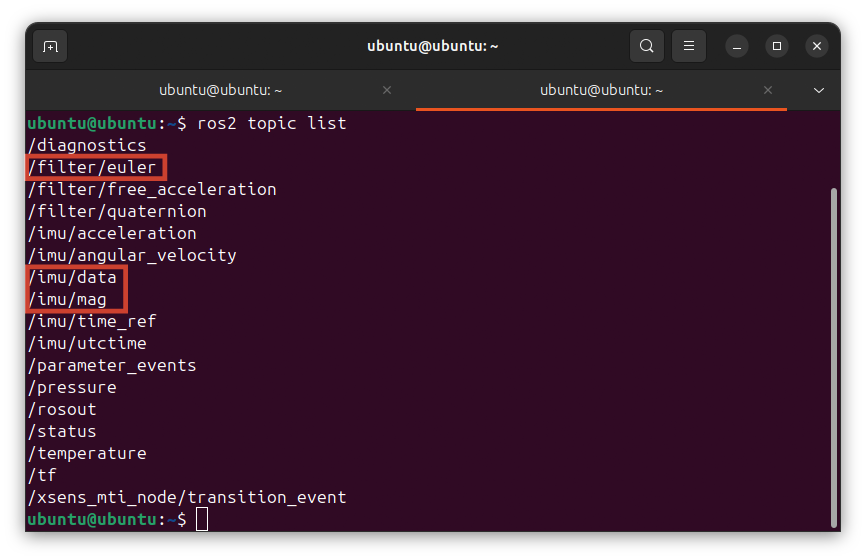
ros2 topic list
For the dashboard visualization in this demo, we will specifically rely on the /imu/data, /imu/mag, and /filter/euler topics.
Ensure that your IMU successfully publishes the topics, as shown below.
Step 3: Download the Python file and run to see the dashboard
This script subscribes to the ROS 2 IMU topics and provides a real-time visualization dashboard of the sensor data.
Please use the link below to download the IMU dashboard code:
📥 Download ros2_imu_dashboard_monitor.py
This script is designed for general IMU data monitoring in ROS 2 and is not limited to any specific Xsens MTi model.
If you need to adjust any visualization or sensor parameters, please refer to the GitHub ↗
Run the monitoring script:
python3 ros2_imu_dashboard_monitor.py
You should now see the dashboard displaying the real-time IMU data!