Robotic Suite Complete Installation Guide
This guide will walk you through the installation of Robotic Suite.
important
Prerequisite: Advantech SUSI Before proceeding with the complete installation of Robotic Suite, make sure Advantech SUSI is installed on your target system.
Follow the Advantech SUSI Installation Guide to complete this prerequisite.
Quick link — AFE-A702/ASR-A702: Download link
Download
Follow the instructions on the Download page to obtain the adv-robotic-suite-installer.run installer file.
Install
warning
Make sure your target system satisfies the following conditions:
- Advantech platforms
- At least 10 GB hard drive free space
- An active Internet connection is required
- Use the English language environment in Ubuntu OS
- Install the Advantech Robotic Suite:
sudo ./adv-robotic-suite-installer.run
- Wait for the Robotic Suite Installer Menu to appear In the interface, you will see the available options supported by the corresponding platform, including Advantech examples and development environments.
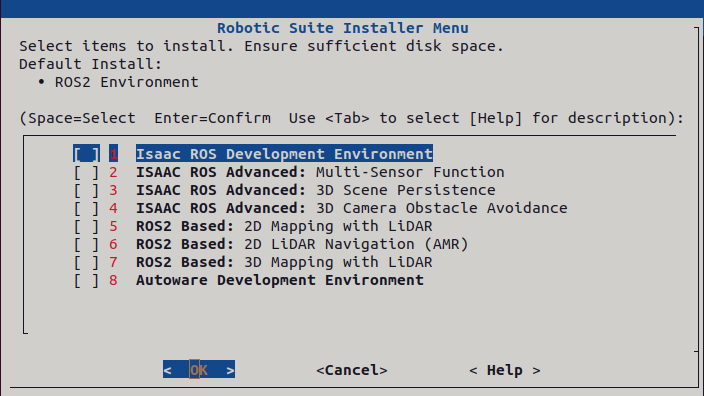
- Press the Space bar to select the items you want to install.
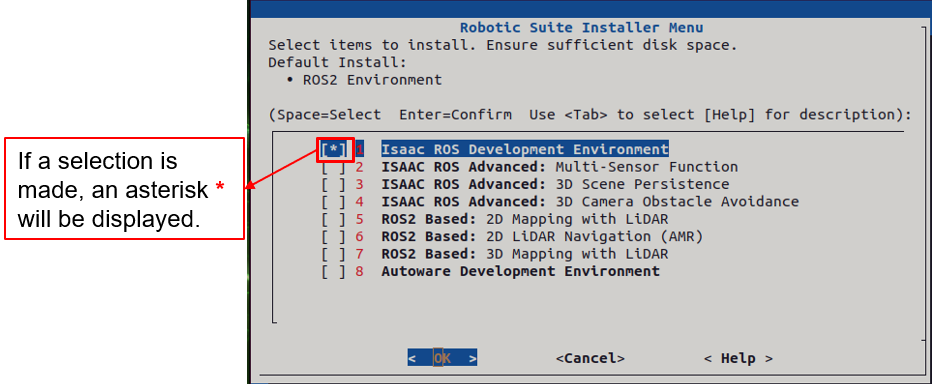
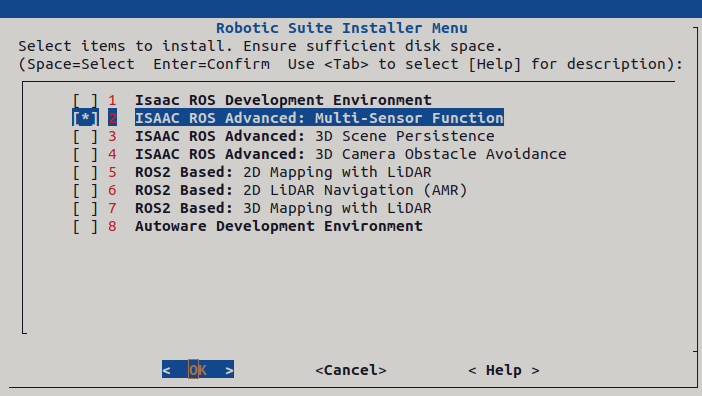
- After selecting the items you wish to install, confirm the selection and press Enter on OK.
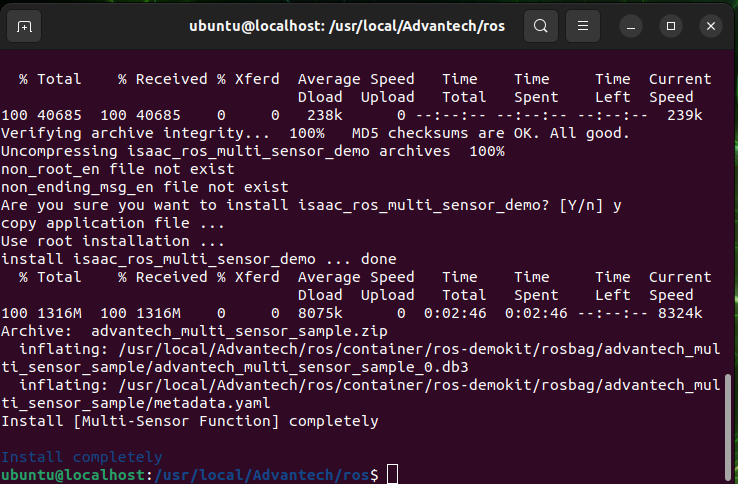
- Wait for the installation process to complete.
tip
- Make sure you see a message on the last line that the installation is complete, then please restart your computer to complete the environment setup.
Uninstall
Command to uninstall the Advantech Robotic Suite:
cd /usr/local/Advantech/ros
./uninstall.sh