QIR ROS SDK (Advantech QIR ROS Kit)
This document describes the qir_ros_base / QIR ROS SDK container development and demo framework we provide. It helps users quickly run QIR ROS 2 official examples on Advantech Qualcomm-based platforms, and extend the same framework to build their own applications (apps).
- When running an example for the first time, it may automatically download/install required resources (e.g., Qualcomm Neural Processing SDK models, datasets, dependencies). This is expected and may take longer.
Version Information (Default Environment)
- QIR ROS SDK: v2.4.3
- ROS 2: Jazzy
1. QIR ROS SDK Overview
QIR ROS SDK is a set of hardware-accelerated ROS 2 packages optimized for Qualcomm Snapdragon / QRB platforms. It leverages Qualcomm's NPU hardware via Hexagon/Qualcomm Neural Processing Engine (SNPE) and QNN engines to provide high-performance robotics algorithms, including computer vision, AI perception, OCR, depth estimation, and simulation workflows.
On Advantech Qualcomm platforms, the QIR ROS SDK is delivered via Docker containers to ensure a reliable runtime environment, eliminating system dependency conflicts so developers can focus on application deployment.
2. Why Use This Package (Benefits & What qir_ros_base Provides)
qir_ros_base provides a ready-to-use QIR ROS SDK development environment packaged in a Docker container.
It helps users quickly evaluate Qualcomm robotics capabilities and build their own applications on top of a consistent, reproducible setup.
Key benefits:
- Fast bring-up: start running QIR ROS examples quickly without spending time on complex driver and SDK environment setup.
- Reproducible development environment: a consistent container-based workflow that reduces environment differences.
- Hardware Acceleration Out-of-The-Box: pre-configured access to Qualcomm NPU hardware acceleration.
- A solid foundation for customization: users can extend the provided framework to integrate their own AI models and pipelines.
- Easier troubleshooting and maintenance: isolated environment makes software rollbacks and upgrades straightforward.
Reference:
- QIR ROS SDK Documentation: https://docs.qualcomm.com/doc/80-90441-2/
3. Location and Folder Structure
Make sure your target system satisfies the following conditions:
- Advantech Qualcomm platforms
- At least 20 GB hard drive free space
- An active Internet connection is required
- Use the English language environment in Ubuntu OS
Host Dependency Check (Qualcomm AI Runtime - QAIRT)
- To run AI and NPU features, make sure the Qualcomm AI Runtime (QAIRT) is installed on the host system. Otherwise, the NPU hardware resources cannot be accessed.
- How to verify on the host: Check if the library file
/usr/lib/libQnnHtp.soexists.
After selecting and installing QIR ROS Development Environment Function by following the installer instructions, you can find the package at:
- QIR ROS Kit root:
/usr/local/Advantech/ros/container/ros-demokit/qir_ros_kit
Common contents:
- Launch entry:
launch_qir.sh
- Example apps:
apps/basic_examples(QIR official basic examples)apps/advanced_examples(advanced integration examples)
- Development framework:
apps/develop(development-container usage and template notes)
4. Usage: One-Command Example Launch
Overview
User
  │
  ▼
launch_qir.sh
  │
  ▼
Docker Container (QIR ROS environment)
  │
  ├─ (first run / as needed) install_app.sh: download/install required assets & models
  │
  └─ (every run) run_app.sh: start the example (e.g., ros2 launch ...)
The usage is:
cd /usr/local/Advantech/ros/container/ros-demokit/qir_ros_kit
./launch_qir.sh <app_folder> [optional parameters...]
<app_folder>is the relative path underapps/, for example:basic_examples/ocr_servicebasic_examples/sample_object_detectionbasic_examples/simulation_sample_pick_and_place
The quick start example:
./launch_qir.sh basic_examples/sample_object_detection
ROS_DOMAIN_ID (Default: 55)
- This package uses
ROS_DOMAIN_ID=55by default.- To change it, edit the
ROS_DOMAIN_IDsetting inlaunch_qir.sh.
5. basic_examples (QIR Official Examples)
The examples below are located at:
/usr/local/Advantech/ros/container/ros-demokit/qir_ros_kit/apps/basic_examples
Primary purposes:
- Quickly validate that QIR NPU hardware acceleration and official nodes run correctly on the target platform
- Use as a starting point for further development
5.0 Prerequisites for YOLOv8 Examples (Model Export Instructions)
Due to licensing restrictions associated with YOLOv8, the pre-converted YOLOv8 model files (
yolov8_det.binandyolov8_seg.bin) are NOT included in this package.
Users must manually export and place the model files into the corresponding example directories before launchingsample_object_detectionorsample_object_segmentation.
Prerequisites
- Create a Qualcomm account and request an
api_tokenvia the Qualcomm AI Hub. - Refer to Qualcomm's official documentation for detailed prerequisites:
Steps to Export Models on Host System
# Install Python virtual environment dependencies
sudo apt update
sudo apt install -y python3.12-venv

# Create and activate Python virtual environment
python3 -m venv qai_env
source qai_env/bin/activate

# Install required Python packages
pip install --upgrade pip
pip install qai_hub_models
pip install ultralytics

# Configure Qualcomm AI Hub with your API token
qai-hub configure --api_token <YOUR_API_TOKEN>

# Export YOLOv8 Detection model
python3 -m qai_hub_models.models.yolov8_det.export --target-runtime tflite --device "Dragonwing IQ-9075 EVK"

# Export YOLOv8 Segmentation model
python3 -m qai_hub_models.models.yolov8_seg.export --target-runtime tflite --device "Dragonwing IQ-9075 EVK"
Move Converted Models to App Folders
After successfully exporting the models, copy the output .bin files into the respective model/ directories:
- Detection Model:
- Copy
yolov8_det.binto:
/usr/local/Advantech/ros/container/ros-demokit/qir_ros_kit/apps/basic_examples/sample_object_detection/model/
- Copy
- Segmentation Model:
- Copy
yolov8_seg.binto:
/usr/local/Advantech/ros/container/ros-demokit/qir_ros_kit/apps/basic_examples/sample_object_segmentation/model/
- Copy
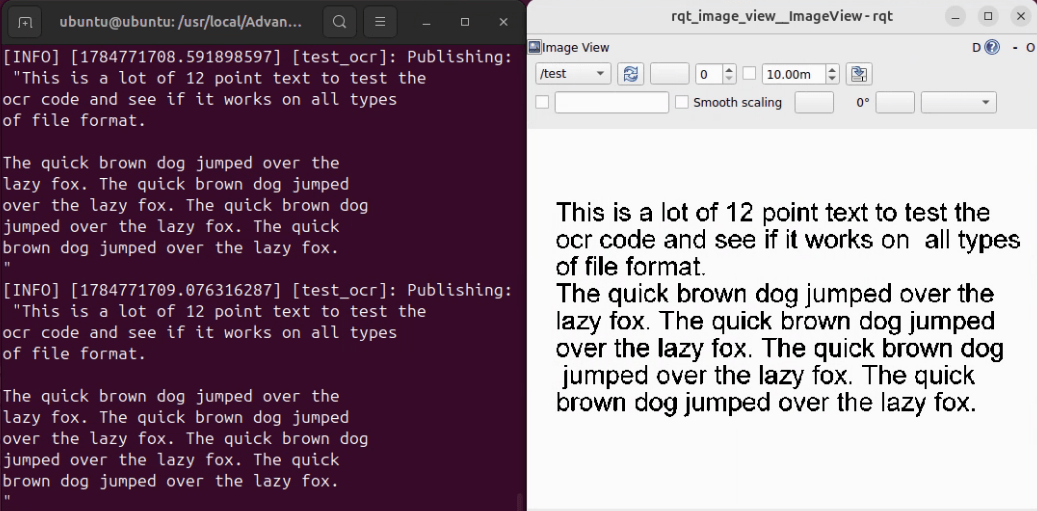
5.1 ocr_service
- Purpose: Runs optical character recognition (OCR) on input image streams to detect and extract text in real-time using Qualcomm NPU.
- Run:
./launch_qir.sh basic_examples/ocr_service
- Official docs:
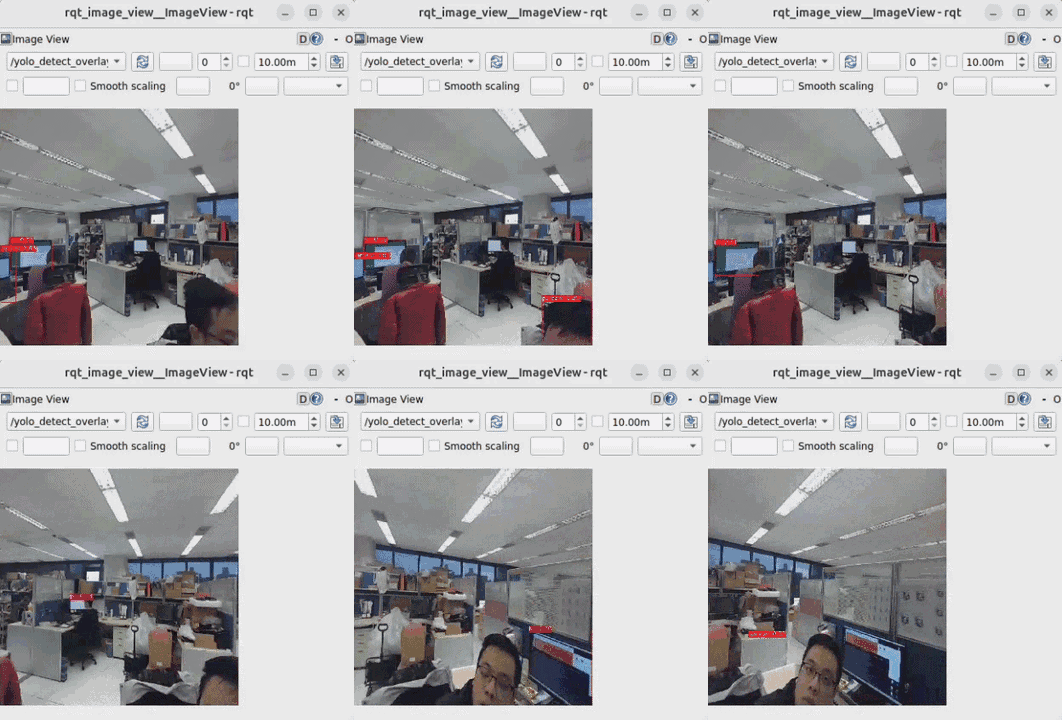
5.2 sample_object_detection
Requires
yolov8_det.binmodel file. Please complete Section 5.0 Prerequisites first.
- Purpose: Real-time 2D object detection powered by accelerated neural network models on Qualcomm NPU.
- Run:
./launch_qir.sh basic_examples/sample_object_detection
- Official docs:
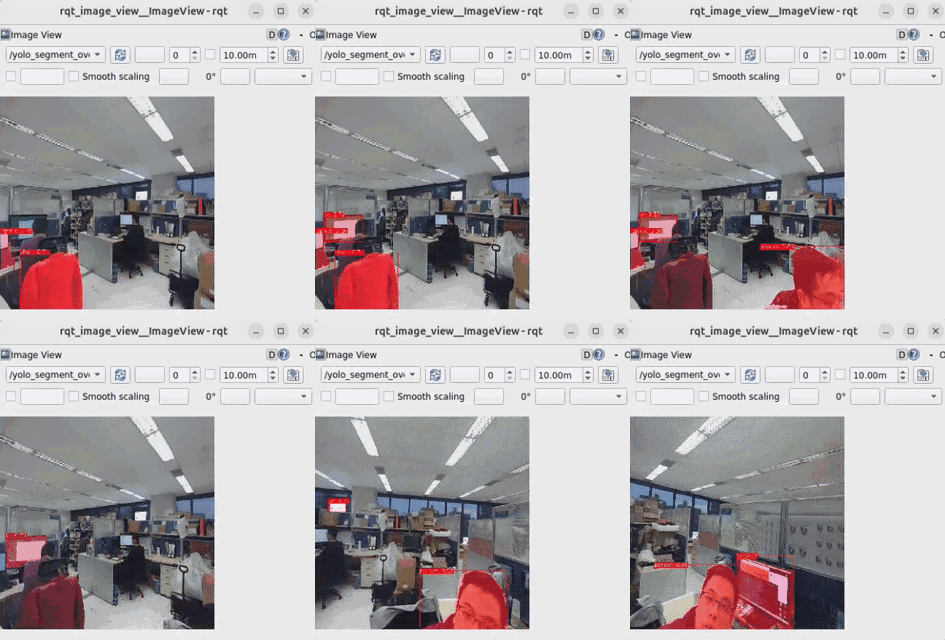
5.3 sample_object_segmentation
Requires
yolov8_seg.binmodel file. Please complete Section 5.0 Prerequisites first.
- Purpose: Instance/semantic segmentation workflow providing pixel-level object boundaries for advanced spatial perception using Qualcomm NPU.
- Run:
./launch_qir.sh basic_examples/sample_object_segmentation
- Official docs:
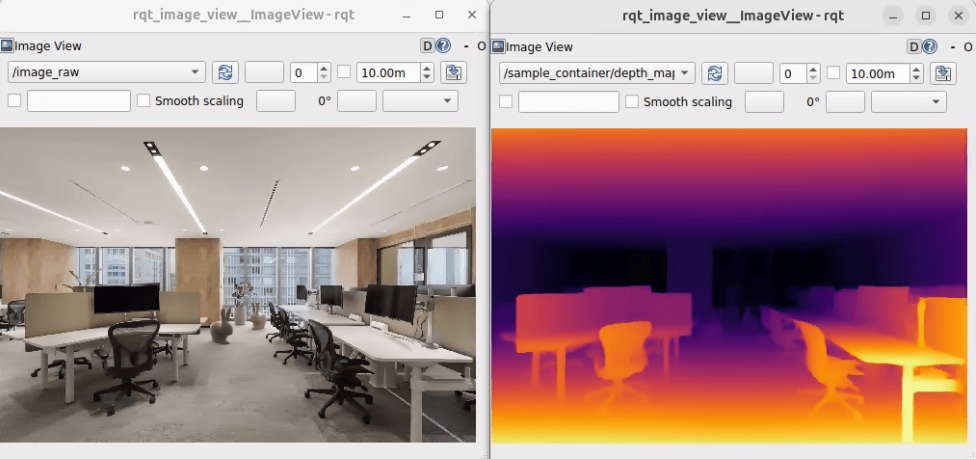
5.4 sample_depth_estimation
- Purpose: Monocular or stereo visual depth estimation to infer per-pixel depth values for obstacle avoidance and 3D perception using Qualcomm NPU.
- Run:
./launch_qir.sh basic_examples/sample_depth_estimation
- Official docs:
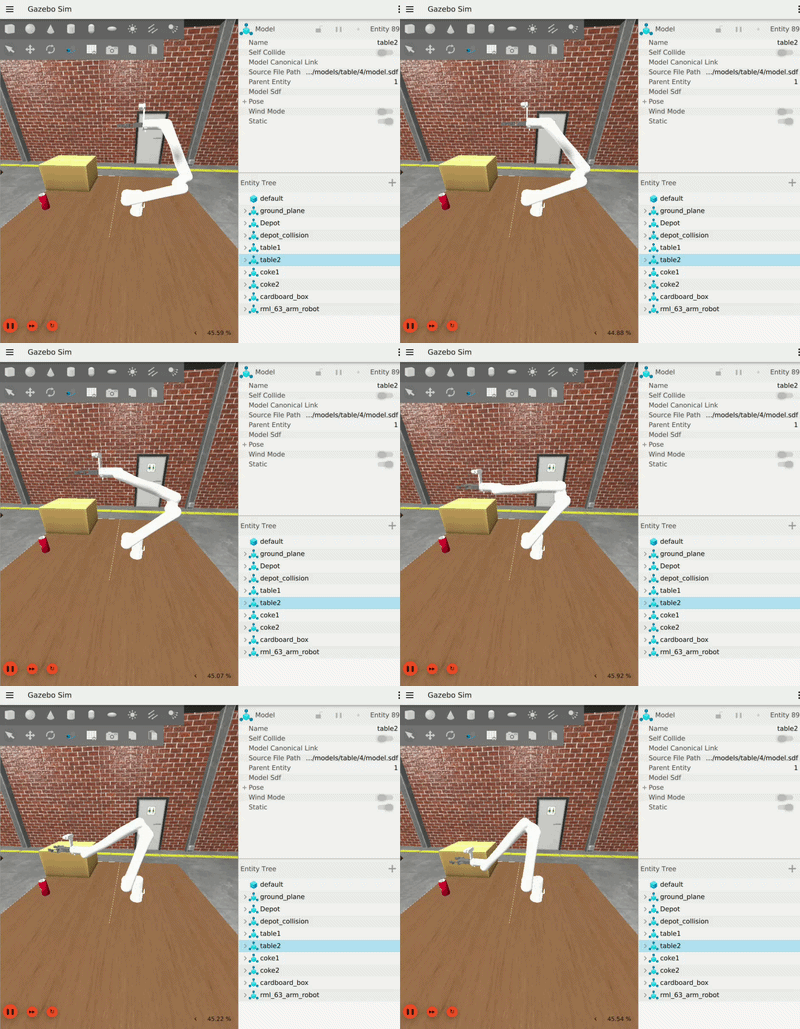
5.5 simulation_sample_pick_and_place
- Purpose: Simulation pipeline in Gazebo showcasing robotic arm motion planning and pick-and-place task execution.
- Run:
./launch_qir.sh basic_examples/simulation_sample_pick_and_place
- Official docs:
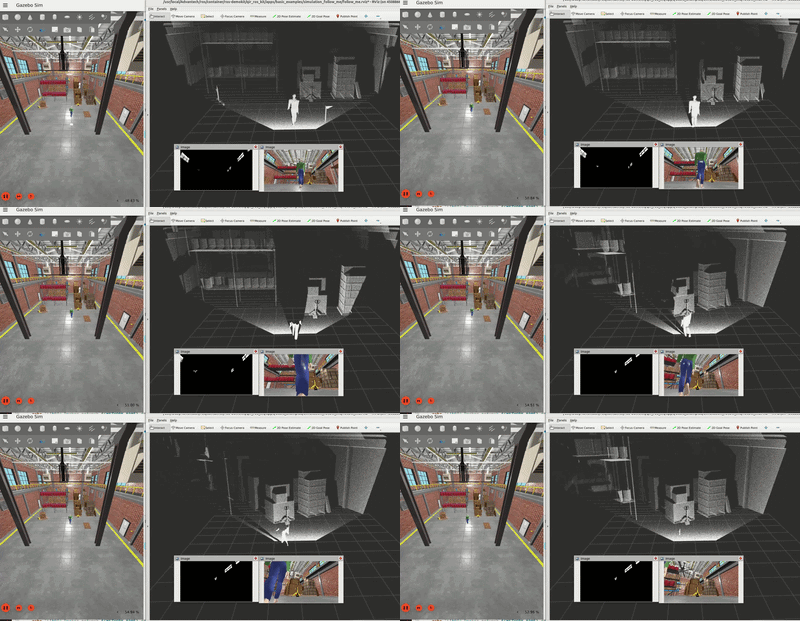
5.6 simulation_follow_me
- Purpose: Simulation scenario demonstrating target person detection, visual tracking, and autonomous robot following navigation.
- Run:
./launch_qir.sh basic_examples/simulation_follow_me
- Official docs:
6. Build Your Own App
Inside each app directory you will find files like:
install_app.sh: for installation/preparation steps (e.g., download model binaries, install ROS packages, initialize the environment)run_app.sh: for launch/run commands (typicallyros2 launch ...)
You can build your own app with this pattern:
- Copy an existing example folder (or use
apps/developas a template) - Put required setup steps into
install_app.sh - Put your ROS 2 launch/run commands into
run_app.sh - Launch using the same entry point:
./launch_qir.sh <your_app_path>